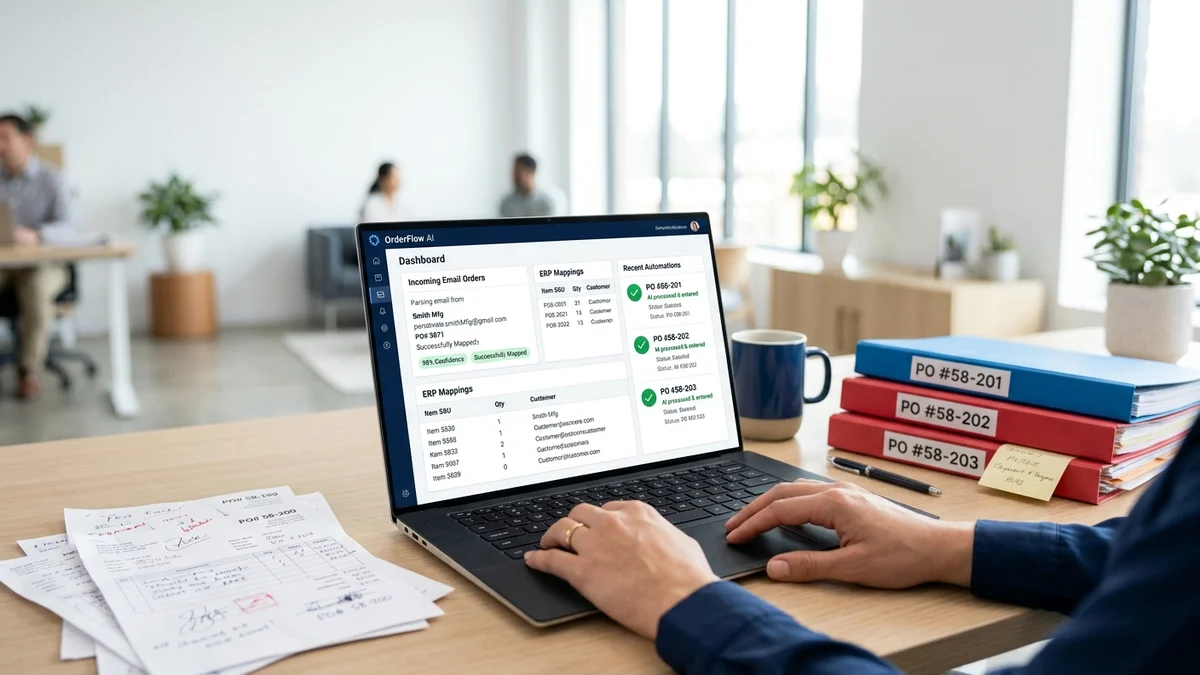
Your order desk team is spending most of the day on data entry.
Someone opens an email. Reads it. Looks up what the customer probably means by "the usual blue fittings." Checks prior order history. Finds the right SKU. Opens the ERP. Creates a new sales order. Types in line items, quantities, units of measure, delivery address, pricing. Checks the total. Sends a confirmation.
That's 8 minutes. For one order. Times 200 orders a day, that's 6,700 hours a year of data entry. For a team that could be spending that time on customer relationships, exception handling, and high-value work.
Automated order entry replaces that data entry cycle with software. Not just for the easy orders — for all of them, including the ones that don't arrive as clean PDF purchase orders.
Why manual order entry persists at most distribution businesses
The format variability problem: why templates only solve half of it
The reason most distribution businesses still have significant manual order entry isn't that they haven't tried to automate it. It's that the tools they tried automated the easy half and left the hard half.
Template-based automation works for structured inputs. Configure a template for Customer A's PDF purchase order format, and that format processes automatically. The problem: Customer B emails free-text descriptions. Customer C sends a spreadsheet with their own internal product codes. Customer D writes "same as March, skip the gaskets." None of those fit the template.
The 40 to 60% of distribution order volume that arrives as unstructured email is the part that consumes most of the order desk's day. Templates cover the minority that was already the easiest to process.
The cost of each manual entry mistake
Experienced teams make errors on about 3% of orders. That sounds small. At 50,000 annual orders, it's 1,500 errors per year. Each error triggers downstream work: the wrong product ships, a return is initiated, a credit note is issued, a customer calls. Industry research puts the fully loaded cost of a single order error at $18,000, including direct costs and relationship damage.
Even at a conservative $200 per error in direct costs, 1,500 errors per year is $300,000 in annual error cost — on top of the labor cost of manual entry. And 85% of B2B customers reduce spend or leave after three or more order errors. The errors aren't just expensive to fix. They're expensive to keep.
What automated order entry actually looks like
The easy case: structured PDFs and EDI (already solvable)
For structured purchase orders — clean PDFs with consistent layout, EDI transactions from enterprise accounts — automation is mature. Template-based OCR handles structured PDFs well when formats are consistent. EDI handles the largest accounts who have invested in electronic data interchange.
If your order intake were exclusively these two formats, the automation problem would be largely solved. These tools have existed for decades.
The hard case: email variability (the real bottleneck)
The hard case is what most distribution inboxes actually look like. A customer who emails: "Hi, need the usual blue 40mm couplings, double from last time, and check if you still have the gaskets from February's order." No product codes. References to prior orders. Product descriptions in the customer's informal vocabulary. Delivery requirements buried in the text.
An experienced CSR who knows this customer resolves this in a few minutes. A new hire might take 15, with a higher error rate. Template-based OCR produces nothing useful. EDI doesn't apply. The order goes to manual processing.
This is the bottleneck: the 40 to 60% of orders that arrive as genuinely unstructured communication, from customers who aren't going to change how they order just because it would be more convenient for your system.
How AI handles both
AI-native order processing automation reads meaning from the order content rather than matching against templates. The system processes structured PDFs the same way OCR does. It also processes free-text emails, spreadsheets with customer-specific codes, forwarded threads, and informal descriptions — by interpreting what the customer means using catalog context and account history.
The result is a system that covers the full inbox, not just the structured portion. For the hard cases, confidence scoring determines whether the match is certain enough to proceed automatically or should be flagged for human review. The human confirms or corrects in seconds, not minutes.
The best automated order entry solutions for distributors
OrderFlow: AI-native, handles format variability by default
OrderFlow's core capability is semantic catalog matching: the system interprets customer product descriptions and matches them to your SKU catalog using account history, product relationships, and language understanding. No templates are required for any format.
The production evidence: at Meesenburg Romania, 98% of orders needed no modification after AI processing. 50% of orders completed end-to-end with no human involvement. The remaining 50% required exception review, not full re-entry.
Deployment runs two to six weeks with no per-customer template configuration. OrderFlow integrates with SAP, Microsoft Dynamics 365, Sage, and other major distribution ERPs via API. Data is processed in the EU, meeting GDPR requirements.
Best for: Distribution businesses where 40% or more of orders arrive as unstructured emails.
Conexiom: Strong on high-volume structured EDI-style orders
Conexiom converts structured purchase orders and EDI documents into ERP-ready sales orders at high volume. For distributors whose majority intake is structured PDFs from consistent trading partners, Conexiom processes them reliably.
The limitation is format variability. Each document format requires a template. Free-text emails are outside the tool's scope. For distributors where the majority of order volume is structured, Conexiom's coverage is meaningful. For distributors with significant unstructured volume, template maintenance becomes a recurring cost that limits the ROI.
Best for: High-volume distributors with consistent structured order formats.
Esker: Enterprise suite with order entry module
Esker offers order management as a module within a broader AP and AR automation platform. The order module handles some unstructured formats and integrates with major ERPs. For enterprises that need to consolidate multiple finance workflows on one platform, Esker's breadth makes sense. For distributors who need the order entry problem solved without a full enterprise deployment, the scope and pricing ($50,000+ annually) is typically more than required.
Best for: Enterprises consolidating AP, AR, and order management on a single platform.
See Automated Order Entry With Your Actual Email Formats
What to look for when choosing an automated order entry system
Format coverage. Ask any vendor to process a sample of your actual inbox — not a curated demo dataset. Include your most informal orders. The accuracy on those samples tells you what the tool actually handles.
Human review design. Look for confidence scoring on individual line items, not order-level accept/reject. A system that flags specific uncertain items is more useful than one that rejects entire orders for manual re-entry.
Deployment timeline. Template-based tools take three to six months because each customer format requires individual configuration. AI-native tools take two to six weeks because format variability is handled by default. The deployment timeline is a signal about the tool's architecture.
ERP integration specifics. Confirm which version of your ERP, pre-built connector or custom development, and IT hours required for setup. "We integrate with SAP" needs to be more specific before it means anything.
For a detailed comparison of order processing software for distributors across these criteria, that guide covers the evaluation framework in depth.
What implementation looks like: Meesenburg Romania
Meesenburg Romania's order desk was processing industrial component orders across a complex multi-category catalog. Their inbox included structured documents from larger accounts and free-text emails from smaller customers — the typical distribution mix where the unstructured volume consumes most of the team's day.
After implementing automated order entry through OrderFlow:
- 98% of orders needed no modification after AI processing. The team accepted the AI output without correction on nearly every order.
- 50% of orders completed end-to-end with no human involvement from email receipt to ERP entry.
- The order desk shifted from data entry to exception management. The same team capacity now handles higher order volume.
Banciu Nicolae, General Manager at Meesenburg Romania, confirmed the shift. His team's daily work changed fundamentally: reviewing flagged exceptions rather than manually entering every incoming order.
For the financial case — what the labor and error savings look like in a distribution business at comparable volume — the ROI framework is covered in detail separately. The headline numbers: 80% reduction in per-order processing time and near-elimination of the 3% manual error rate typically produce payback periods of three to twelve months.
Book a Demo — Bring Your Hardest Orders
Frequently Asked Questions
What is automated order entry?
Automated order entry is software that receives incoming orders and enters them into your ERP without manual data entry. For distribution businesses, the key capability is handling unstructured formats: free-text emails, informal product descriptions, and orders that don't conform to a template. AI-native tools interpret meaning; legacy tools require pre-built templates.
Can automated order entry handle unstructured email orders?
AI-native tools can, yes. The system interprets free-text descriptions, informal product references, and "same as last time" requests using account history and semantic catalog matching. Template-based tools cannot handle unstructured emails without a configured template for each customer format.
How do I eliminate manual data entry in my distribution order desk?
Capture incoming orders automatically, interpret any format via AI, match products with confidence scoring, route uncertain items to human review, and push confirmed data to your ERP via API. At Meesenburg Romania, this approach achieved 50% full automation and 98% no-modification accuracy on production orders.
What is the ROI of automated order entry for distributors?
At 8 minutes per order and 200 orders per day, manual entry consumes approximately 6,700 staff-hours per year. With 80% automation, labor savings alone are typically $130,000 to $160,000 annually. Error cost savings add another $150,000 to $300,000 at a 3% manual error rate. Combined payback periods typically range from three to twelve months.
How long does it take to implement automated order entry?
AI-native tools deploy in two to six weeks. Template-based tools take three to six months due to per-customer template configuration requirements. The deployment timeline reflects the tool's architecture: AI handles format variability by default; templates require configuration for each new format.