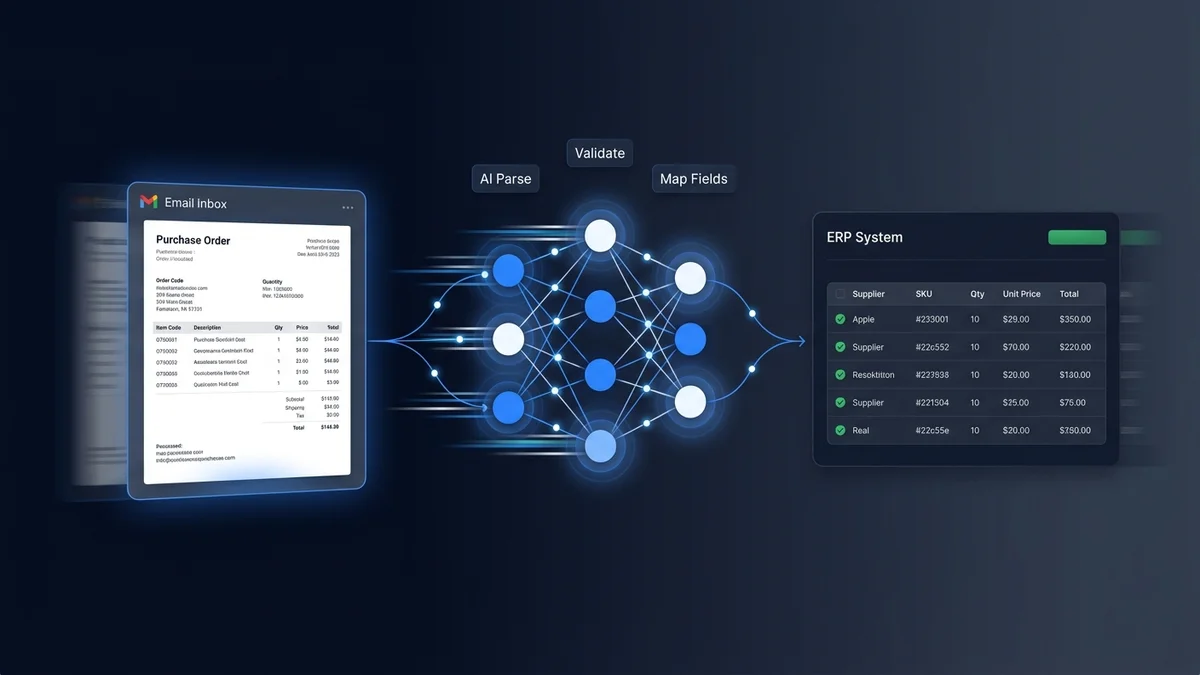
Search for "how to automate purchase order processing" and you will find guides about procurement workflows. Requisition approvals. Three-way matching. Supplier onboarding.
None of them address your actual problem.
You are not the one creating purchase orders. You are the one receiving them. Hundreds a week, from customers who each send them in a different format: structured PDFs, free-text emails, spreadsheets with their own internal product codes, photos of handwritten lists. Your challenge is not procurement workflow. It is turning that daily flood of inbound POs into clean, validated data in your ERP, without your team re-keying every line.
This guide is for the receiving side. Five concrete steps to automate inbound purchase order processing at a distribution business, from auditing what lands in your inbox today to measuring results in production. If you are looking for the broader concept of how to automate sales orders from any email format, our product page covers that. This guide is narrower: the specific workflow to automate inbound POs, using the approach that worked for Meesenburg Romania (98% of orders needing no modification after AI processing) as the reference throughout.
Why Most PO Automation Guides Are Solving the Wrong Problem
The purchase order automation market is dominated by tools built for buyers. Coupa, SAP Ariba, Jaggaer: these platforms help procurement teams create POs, manage approvals, and track supplier compliance. They assume the purchase order is the starting point of a clean, digital process.
For a distributor receiving orders, the purchase order is the incoming problem. It arrives in formats you did not choose, from customers who will never conform to your preferred structure.
This mismatch shows up the moment you start evaluating tools. You sit through a demo that shows how to create POs efficiently. You realize none of it addresses the 200 different formats sitting in your inbox right now. You search for alternatives and find document processing platforms (Rossum, ABBYY, Kofax) that could be configured for POs with enough template work. The pilot looks promising on structured PDFs. Then the free-text emails and handwritten notes arrive and accuracy drops below useful levels.
The problem is specific: inbound PO processing for distributors requires interpreting what customers mean, not extracting fields from a fixed layout. The five steps below address that specific problem.
The 5 Steps to Automate Purchase Order Processing
Step 1: Audit Your Current PO Intake (Formats, Volumes, Error Rates)
Before evaluating any tool, spend one day documenting what actually arrives in your order inbox. Not what you think arrives. What actually arrives.
Pull the last 100 incoming orders and sort them into categories:
- Structured PDF POs with item codes and quantities in a table format
- Free-text emails where the customer describes what they need in plain language, with no product codes
- Spreadsheets using the customer's internal codes that don't match your catalog
- Scanned or photographed documents (handwritten lists, printed forms, fax-to-email)
- Reply-chain orders referencing previous orders ("same as last month, add 10 more of the blue ones")
Most of these formats arrive by email. For a deeper look at why email is the hardest order channel to automate and how email order processing works at the technical level, see our dedicated guide. For now, focus on the ratio.
Count the ratio. If more than 40% of your orders fall into the unstructured categories (free-text, handwritten, reply-chain), template-based automation will cover the minority and leave the majority on your team.
Then document three numbers:
- Average processing time per order. Time a few reps across a normal day. Most distribution teams land between 3 and 10 minutes per order for the full read-interpret-match-enter cycle.
- Error rate. Pull your credit note and return records from the last quarter. Divide total order errors by total orders processed. Industry average for experienced manual teams: 3%.
- Format change frequency. Ask your team: how often does a customer change their PO format? New ERP on their side, new procurement contact, different attachment type? If the answer is "regularly," template-based approaches will require constant maintenance.
This audit gives you three things: a realistic picture of your input mix, a baseline to measure improvement against, and the data to calculate ROI. Without it, you are evaluating tools against assumptions instead of reality.
Step 2: Map Your Product Catalog for AI Matching
The accuracy of any automation system depends on the quality of the catalog it matches against. AI interprets what customers write and connects it to your products. If your catalog has thin descriptions, missing alternate names, or outdated entries, even the best AI will produce more flagged exceptions than necessary.
Before or during your pilot, focus on your top 200 to 500 products (which likely cover 70 to 80% of order volume by line item):
- Add customer-facing descriptions. If your catalog entry for SKU BV-40-BL says only "Ball Valve 40mm Blue," add the common customer terms: "blue 40mm valve," "40mm blue butterfly valve," "blue valve DN40."
- Include known customer nicknames. Your senior reps know that Customer A calls the DN40 fitting "the blue one" and Customer B calls it "part 7742." That knowledge belongs in the catalog, not just in someone's head.
- Clean up discontinued or duplicate entries. Old SKUs that should no longer be ordered but still appear in the catalog create false positive matches. Archive them.
This is not a multi-month project. A focused effort over a few days, with input from your most experienced order entry reps, covers the products that matter most. And the investment pays off regardless of which automation approach you choose: better catalog data means better matching, whether by AI or by a new hire trying to decode a customer's email.
Step 3: Choose the Right Automation Approach
Five approaches exist for automating purchase order processing. Each handles a different slice of the problem. The complete guide to order processing automation covers the full comparison matrix with side-by-side accuracy benchmarks. Here is the summary through the lens of inbound PO processing specifically.
Manual with digital tools. Your current state. Works at low volumes. Breaks when volume grows because every new order requires proportional human time.
EDI. Handles the 5 to 15% of your customer base willing to adopt structured electronic data exchange. Does nothing for the other 85%.
Template-based OCR. Processes structured PDFs with consistent layouts. Requires a template per customer format. Breaks when formats change. Cannot process free-text emails or handwritten inputs at all.
RPA. Automates keystrokes for predictable, repetitive processes. Breaks when the input format or the ERP screen changes. High ongoing maintenance cost.
AI interpretation. Reads the meaning of the order regardless of format. No per-customer templates. Handles free-text, handwritten, multilingual, and "same as last time" orders through language understanding. Confidence scoring flags uncertain items for human review. For a full explanation of what AI order processing looks like under the hood, including confidence scoring and product matching, see our technology page.
The decision question is straightforward: look at the format audit from Step 1. If the majority of your POs arrive in structured, consistent formats from a small number of customers, template-based OCR or EDI may be sufficient. If your inbox looks like most distributors' inboxes (varied formats from hundreds of customers, with a significant share of unstructured inputs), AI interpretation is the only approach that covers the full range.
For the technical detail on how AI interpretation differs from OCR and RPA at the architecture level, see how AI processes email orders.
Step 4: Run a Proof of Concept on Real Orders
This is where most automation projects either prove themselves or reveal their limitations. And the difference between a useful PoC and a misleading one is the input data.
Do not pilot with clean data. Every automation tool looks accurate on well-formatted PDFs with clear product codes. That is not the test. The test is the bottom 20% of your orders: the free-text emails with no codes, the handwritten notes, the spreadsheets with non-standard product references, the reply-chain messages referencing previous orders.
A PoC that proves the system handles your hardest cases tells you everything you need to know. If it can interpret "same as last month but double the blue 40mm valves and skip the gaskets," it will handle your structured PDFs without breaking a sweat.
Practical PoC structure:
- Select 50 to 100 real orders from the last 30 days. Include your full format range.
- Run them through the system in parallel with your team's manual processing.
- Compare outputs: did the AI match the same products your team matched? Did it interpret quantities correctly? Where did it flag exceptions, and were those genuine edge cases or false positives?
- Measure three metrics: accuracy rate (percentage of line items needing no correction), full automation rate (percentage of orders with no human touch needed), and review time per flagged item.
Success criteria to set before the pilot starts:
- Accuracy above 90% on all inputs combined (not just structured POs)
- Flagged exceptions are genuinely ambiguous cases, not format-handling failures
- Processing time per order measured in seconds, not minutes
- ERP output format matches your system's import requirements
If the vendor won't run a PoC on your actual data, that tells you something about their confidence in handling real-world inputs. The best evaluation is always your messiest orders, not their cleanest demos.
Step 5: Deploy, Measure, and Expand
A successful PoC does not mean flipping a switch and automating everything overnight. Graduated rollout builds team confidence and catches issues early.
Weeks 1 to 2: Shadow mode. The AI processes all incoming POs, but every order is human-reviewed before entering the ERP. This builds trust and surfaces any systematic matching issues that the PoC sample may have missed.
Weeks 3 to 4: Threshold automation. High-confidence orders (above your configured threshold) proceed to the ERP automatically. Everything below the threshold goes to human review. The team spot-checks a sample of auto-processed orders (10% is standard) to validate quality.
Weeks 5 onward: Full production. Remove the spot-check requirement for high-confidence orders. Human review applies only to flagged exceptions. Monitor accuracy weekly. Adjust confidence thresholds based on actual performance data.
Three things to measure weekly during rollout:
- No-modification rate. What percentage of AI-processed orders needed zero human correction? This is your headline accuracy metric.
- Full automation rate. What percentage of orders went from inbox to ERP with no human involvement at all?
- Review time per exception. When the AI does flag something, how long does it take your team to resolve it? If flagged items take 15 seconds to confirm, the system is working. If they take 5 minutes, the confidence scoring may need adjustment.
After 8 weeks of production data, you have enough volume to tune confidence thresholds. If 95% of flagged items are confirmed without changes, the threshold is too conservative. Raise it. If auto-processed items are causing downstream errors, lower it.
What 98% Accuracy Looks Like in Practice
Numbers without context are marketing. Here is the context.
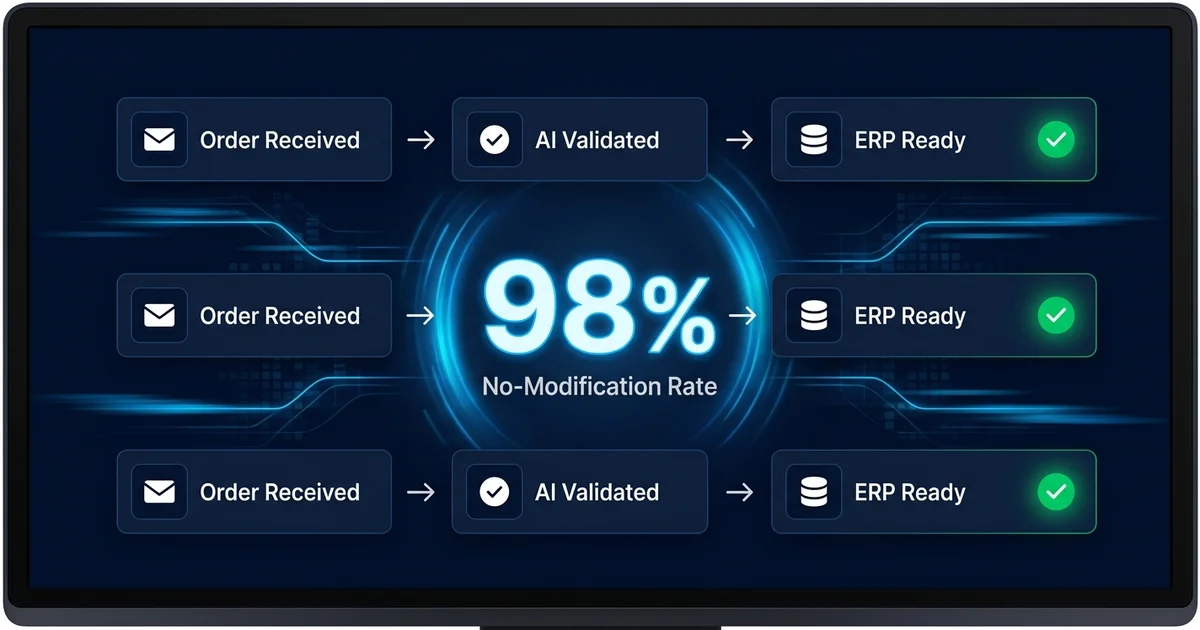
At Meesenburg Romania, a European distribution business processing real-world orders in varied formats, OrderFlow achieved a 98% no-modification rate. 50% of orders were fully automated end-to-end with no human involvement.
That 98% was not measured on structured PDFs with clean product codes. It was measured on Meesenburg's actual inbox: free-text emails, scanned documents, handwritten notes, mixed-language messages. The order formats that break template-based systems entirely.
What made this result possible is specific to the approach, not the technology alone. No per-customer templates meant no template maintenance and no template failures when formats changed. Confidence scoring meant the AI processed what it was confident about and escalated what it was not. The human-in-the-loop design meant nothing ambiguous entered the ERP without a person confirming it.
For the full deployment details, including how the order team's daily work changed and the impact on error rates and processing speed, read the full Meesenburg case study.
The industry benchmarks provide additional context. Manual order entry teams maintain approximately a 3% error rate. Industry data puts the fully loaded cost of a single order error at $18,000 when you factor in returns, re-shipments, credit notes, and the downstream impact on customer retention. That same research shows 85% of B2B customers are likely to reduce spending or leave after just three errors.
For a mid-market distributor processing 300 orders per day, the annual error math is stark: 300 orders times 3% error rate times 250 working days equals 2,250 errors per year. At $200 direct cost per error, that is $450,000. The gap between 3% manual error rate and 2% AI-assisted error rate is not 1 percentage point. It is the difference between 2,250 errors and 1,500. At scale, small accuracy improvements produce large financial outcomes.
See How OrderFlow Handles Your Purchase Orders
Common Mistakes When Automating PO Processing
Mistake 1: Starting With Templates Instead of AI
The most expensive mistake is choosing a template-based system for an unstructured input mix. If your Step 1 audit shows that 50% or more of incoming POs arrive as free-text emails, handwritten notes, or non-standard formats, templates will cover the easy minority and leave the hard majority on your team.
The template trap is not obvious at first. The initial deployment works well because the vendor configured templates for your top 20 customers. But customer 21 sends orders in a new format. Customer 3 changes their PO layout after an ERP upgrade. Each change requires a vendor support ticket and a 48-hour turnaround. Within 12 months, the maintenance burden exceeds the time savings the templates created.
Ask the vendor question that exposes this: "What happens when a customer changes their PO format?" If the answer involves template updates, configuration changes, or support tickets, you are buying into a maintenance model that scales with your customer base.
Mistake 2: Requiring 100% Automation From Day One
No honest system fully automates every order on every line item. The realistic target is 40 to 60% of orders processed without any human touch, with the remaining orders benefiting from AI pre-processing that reduces manual effort from minutes to seconds per order.
The human-in-the-loop approach is not a failure of the AI. It is a data quality safeguard. When the AI encounters genuine ambiguity ("send me some of the usual things"), confidence scoring flags it rather than guessing. Nothing ambiguous reaches your ERP without a person confirming it.
Setting the expectation for 100% automation guarantees disappointment with a system that is actually delivering substantial value. Set the expectation for "dramatic reduction in processing time per order" instead. An order that took 5 minutes manually and now takes 15 seconds of review is 95% automated, even though a person technically touched it.
Mistake 3: Ignoring the Human-in-the-Loop Requirement
Some vendors pitch fully autonomous systems with no human review option. This sounds appealing until you consider what happens when the AI is wrong and nobody catches it.
A wrong product match on line 47 of an 80-line PO triggers a partial shipment, a credit note, a re-delivery, and a customer call. If that wrong match entered the ERP automatically because there was no review step, the cost of that single error can erase weeks of automation savings.
Confidence scoring with human review is the architecture that protects your ERP data and your customer relationships. Look for it in any system you evaluate. If the vendor describes a black box that processes everything without oversight, ask about their accuracy rate on genuinely ambiguous inputs, and ask for that number from a named customer.
Mistake 4: Evaluating on Clean Data Instead of Real Orders
Every vendor demo uses well-formatted purchase orders with clear product codes and consistent layouts. The demo looks impressive. The accuracy is 99%.
Then your actual orders arrive: the email that says "need the usual plus 20 more of the blue ones and check if you have the bigger size," the spreadsheet with column headers in German, the photo of a handwritten list taken at an angle in a dimly lit warehouse.
If you evaluate only on clean data, you will select a tool that handles 20% of your orders beautifully and fails on the 80% that cause the most trouble. Always bring your worst-case examples to every evaluation. The bottom 20% is the real test.
Where to Start
You now have a five-step framework and a clear picture of the mistakes that derail PO automation projects. The next step is not a purchasing decision. It is the Step 1 audit: pull 100 orders, categorize the formats, measure your current processing time and error rate.
If the audit confirms what most distributors find (varied formats, significant unstructured share, 3%+ error rate), the case for AI-based purchase order automation for distributors is built into your own data, not a vendor's slide deck.
For the broader context on order processing automation including ROI frameworks and cost analysis, the complete guide covers the full business case. If you are still evaluating whether automation fits your operation, sales order automation explained covers the concept, the technology generations, and a self-assessment framework. For the technology explanation behind AI interpretation, see how AI processes email orders. And for a direct comparison of order processing software for distributors including Conexiom, Esker, and Canals, the software comparison ranks tools by their ability to handle format variability.
If you want to skip straight to testing, send us three to five of the most varied purchase orders your team received this week. The structured PDF. The free-text email. The difficult one. We process them through OrderFlow and show you the output: products matched, confidence scores assigned, exceptions flagged.
If the result is what you would hand to your ERP, we move forward. If it is not, you have invested 20 minutes.
Test OrderFlow on Your Most Difficult POs