What does sales order automation actually mean for a distribution business? Not the vendor definition. The practical one.
It means that when 47 emails land in your order inbox on Monday morning (three with PDF attachments, one with a photo of a handwritten list, and several that just say "same as last time"), the system processes them into structured, ERP-ready sales orders. Without your team re-keying a single line.
That is the promise. Whether it holds depends entirely on which type of automation you choose and whether it matches the way your customers actually send orders. This guide covers the full picture: what sales order automation is, how the technology has evolved, what separates approaches that work from those that disappoint, and how to evaluate whether your business is ready.
What Is Sales Order Automation?
Sales order automation is software that receives, interprets, and processes incoming customer orders without manual data entry. For distribution businesses, it converts emails, PDFs, scanned documents, and handwritten notes into structured, ERP-ready data, matching product references to your internal catalog automatically.
The scope is specific. Sales order automation addresses the intake stage of order management: the point where a customer request arrives and needs to become a line-item record in your ERP. It does not cover fulfillment, shipping, or invoicing. Those are downstream processes that benefit from clean data, but the data entry bottleneck is where most distribution businesses lose the most hours.
A typical order desk at a mid-size distributor processes 300 to 800 orders per day. Each order takes a skilled rep 3 to 10 minutes to read, interpret, match to the catalog, and enter. That is 15 to 130 labor hours per day on data entry alone. Sales order automation compresses that work by handling the interpretation and entry automatically, leaving the team to manage exceptions and customer relationships.
Why Distribution, Specifically?
Distribution has a unique version of this problem. Unlike manufacturing (where orders follow Bill of Materials structures) or e-commerce (where orders originate in a controlled digital checkout), distribution receives orders through uncontrolled channels.
Your customers email you. They send PDFs from their procurement system, spreadsheets with their own internal codes, free-text messages requesting "the usual plus 20 more of the small fittings," photos of handwritten lists, and occasionally a fax. One customer might use your product codes. Another uses their own. A third describes what they want in conversational language.
This format variability is the core challenge. Automation that works in e-commerce (where every order has the same structured fields) breaks in distribution because the input is unpredictable by nature.
The Evolution of Sales Order Automation: Four Generations
Understanding where the technology has been helps explain where it is now, and why earlier approaches may have disappointed you.
Generation 1: Manual Data Entry with Digital Tools (1990s–2000s)
The first "automation" was simply moving from paper to screen. Reps read paper faxes and typed orders into early ERP systems. The fax became an email. The green screen became a web interface. But the fundamental process (a human reading, interpreting, and typing) did not change.
Limitation: Linear scaling. Every increase in order volume required a proportional increase in headcount. A 20% sales growth meant hiring and training another order entry rep.
Generation 2: EDI and Structured Data Exchange (2000s–2010s)
Electronic Data Interchange (EDI) eliminated manual entry for large trading partners willing to adopt standardized data formats (ANSI X12, EDIFACT). The buyer's system sends a structured electronic document; the seller's system ingests it directly.
Limitation: EDI requires both parties to agree on a data standard, invest in integration, and maintain the connection. In practice, only the largest customers (typically 10 to 20% of a distributor's customer base) use EDI. The remaining 80% still send emails.
Generation 3: Template-Based OCR and RPA (2010s–2020s)
Optical Character Recognition (OCR) and Robotic Process Automation (RPA) promised to bridge the gap. OCR reads characters from scanned documents and PDFs. RPA mimics the keystrokes a human would perform to enter data into the ERP.
These tools work well on structured documents with consistent layouts (standardized purchase order forms, for example). The system learns where the PO number sits, where the line items start, and where the totals appear.
Limitation: Both depend on templates. Each customer format needs its own template or rule set. When a customer changes their PO layout (which happens every time they update their ERP, change procurement software, or reorganize their form), the template breaks. A distributor with 300 active customers might need dozens of templates, each requiring maintenance.
More critically, OCR and RPA cannot handle unstructured inputs at all. A free-text email that says "Can you send 15 of the red 25mm valves and 30 of the standard gaskets, same delivery address as the March order" has no template to match against. There are no fields to extract. The information is embedded in natural language.
This is the generation where many Operations Managers got burned. The tools were marketed as "automation" but only worked on the easy inputs that were already semi-automated. The hard cases, the ones consuming the most team hours, remained manual.
Generation 4: AI-Based Order Interpretation (2020s–Present)
The current generation uses artificial intelligence, specifically natural language processing (NLP), machine learning, and advanced OCR, to interpret the meaning of an order rather than matching it against a template.
The distinction is architectural, not incremental. Instead of asking "where is the quantity field on this document?" the system asks "what is this customer trying to order?" It reads a free-text email the way a senior Customer Service Rep reads it: understanding that "the blue 25mm ones" refers to a specific SKU in your catalog, that "same as last time" means a repeat of a previous order, and that "double the gaskets" means twice the last quantity.
This approach eliminates the per-customer template requirement. No template to build for onboarding. No template to fix when formats change. The system interprets novel inputs the first time it encounters them.
The trade-off: AI systems assign confidence scores to their interpretations. A high-confidence match proceeds automatically. A low-confidence match gets flagged for human review. This human-in-the-loop design is not a weakness. It is a data quality safeguard. Nothing ambiguous enters your ERP without a person confirming it.
For a deeper look at the technology behind AI-based order interpretation, see our guide to AI order processing.
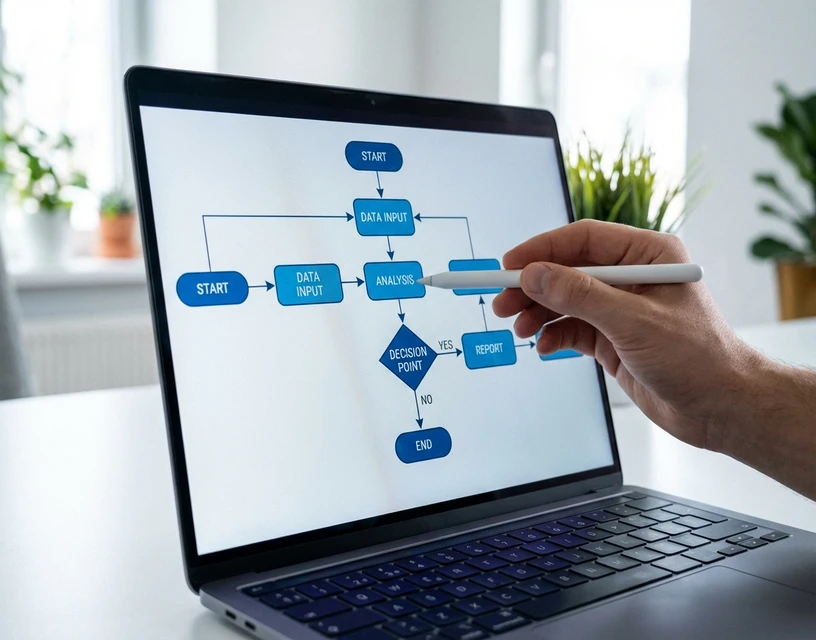
How Sales Order Automation Works: The Five-Stage Process
Regardless of the specific technology, sales order automation follows a consistent workflow. Each stage represents a point where manual effort is either eliminated or reduced.
Stage 1: Order Intake Monitoring
The system monitors your incoming order channels (typically a shared email inbox, but also potentially an EDI endpoint, a web portal, or an API). New messages are detected and classified: is this an order, an inquiry, a complaint, or something else?
In an AI-based system, this classification happens automatically. The system distinguishes an order from a general email without requiring the sender to use a specific subject line format or send to a dedicated address.
Stage 2: Document Interpretation
This is where the generations diverge most sharply.
A template-based system extracts data from known document layouts, matching coordinates on a page to expected fields. An AI-based system reads the full content, whether it is a structured PDF, a spreadsheet, a free-text email body, a scanned handwritten note, or a photo taken on a phone.
The AI extracts: product references (by name, code, description, or informal shorthand), quantities, requested delivery dates, delivery addresses, and any special instructions.
Stage 3: Product Matching
Extracted product references are matched against your internal SKU catalog. This is often the most complex step because customers rarely use your exact product codes.
A customer might order "25mm blue valve" when your catalog lists it as "BV-25-BL." Another might use their own internal code "V-1145" which maps to your "BV-25-BL." A third might just write "the usual valves." AI-based matching handles these variations through contextual understanding, incorporating customer order history, product descriptions, and catalog relationships to find the correct SKU.
Stage 4: Confidence Scoring and Human Review
Each interpreted line item receives a confidence score. Items above the threshold proceed to the next stage automatically. Items below the threshold are queued for human review, with the AI's best interpretation pre-filled and the original source visible alongside it.
This is the stage where the "human intelligence, AI speed" value proposition becomes concrete. The team is not re-entering orders from scratch. They are confirming or correcting a small percentage of pre-processed interpretations. The cognitive load shifts from "figure out what this customer wants" to "verify whether the AI's interpretation is correct." One task takes 5 minutes. The other takes 15 seconds.
Stage 5: ERP Integration
Confirmed orders are pushed into the ERP as structured sales orders: line items, quantities, customer details, delivery instructions, all mapped to your system's fields. No re-keying. No copy-paste. The order enters your fulfillment workflow exactly as if a rep had entered it manually, but without the 3 to 10 minutes of manual effort.
For a detailed walkthrough of how this process handles email-based orders specifically, see our email order processing guide.
Is Sales Order Automation Right for Your Business? A Self-Assessment
Not every distribution business needs sales order automation today. The value depends on specific operational characteristics. Work through these seven criteria to assess your fit.
1. Order Volume
Signal: You process more than 100 orders per day, or your order volume is growing faster than your ability to hire.
At 100+ orders per day, even small per-order time savings compound into meaningful labor reduction. At 300+, the math becomes difficult to ignore.
2. Format Variability
The clearest signal here is that your customers send orders in more than three distinct formats (for example, structured PO PDFs, free-text emails, spreadsheets, and phone follow-ups transcribed by reps).
This is the strongest indicator. If 90% of your orders arrive as structured EDI documents, your bottleneck is elsewhere. If 60% or more arrive as unstructured emails, scanned documents, or verbal orders, format interpretation is consuming a disproportionate share of your team's time.
3. Error Rate and Error Cost
Signal: Your order entry error rate is above 1%, and each error triggers a chain of correction work: credit notes, returns, re-deliveries, customer escalations.
Industry data shows that experienced order entry teams operating under time pressure maintain a manual error rate of approximately 3%. At scale, this compounds. A distributor processing 400 orders per day at a 3% error rate generates 12 problem orders daily, or 3,000 per year. Each error requires investigation, customer communication, correction, and often a re-shipment. Our order processing automation guide includes a full ROI framework for calculating your specific error cost.
4. Catalog Complexity
Look for this signal: your catalog has more than 5,000 active SKUs, and customers frequently refer to products by informal names, old codes, or descriptions rather than your current product codes.
Large catalogs with complex product naming create the exact matching challenge that AI-based automation excels at. If your reps carry product knowledge in their heads (knowing that "the blue fitting" means SKU BV-25-BL because they have worked with that customer for five years), that institutional knowledge is both your greatest asset and your greatest vulnerability.
5. Team Capacity and Turnover
Signal: You have added headcount to your order desk in the past 12 months specifically to handle volume growth, or you have experienced turnover that left gaps in processing capacity.
Linear headcount scaling is the most expensive way to handle order growth. Training a new order entry rep to full proficiency takes 2 to 4 weeks for basic competence and months to develop the product knowledge that experienced reps carry. Every departure resets that investment.
6. Customer Experience Pressure
The signal is clear when your customers have commented on order confirmation speed, have experienced errors, or you are losing orders to competitors who respond faster.
In distribution, the first supplier to confirm an order accurately often wins repeat business. If your confirmation time is measured in hours while a competitor's is measured in minutes, you are losing revenue that never appears in your churn reports.
7. Previous Automation Attempts
Signal: You have tried OCR, EDI expansion, or RPA for order processing and been disappointed by the results.
This is not a disqualifier. It is actually the strongest indicator that AI-based automation will deliver disproportionate value. Previous failures almost always trace back to the template problem described above: tools built for structured inputs applied to an unstructured reality. If the tools failed but the need did not go away, the need is real. The approach was wrong.
If three or more of these seven criteria describe your business, sales order automation is likely to deliver measurable ROI within the first year.
Ten Questions to Ask Any Sales Order Automation Vendor
Whether you are evaluating your first automation solution or replacing one that underperformed, these ten questions separate vendors who understand distribution from those selling generic document processing.
1. "Can you process a free-text email with no product codes?"
This is the single most important question. Any vendor can process a structured PDF with clearly labeled fields. The test is whether the system can interpret a message like: "Hey, can you send me 30 of the small blue fittings and double whatever gaskets we got last time? Need it by Thursday."
If the answer involves creating a template first, the system is Generation 3, not Generation 4. Move on.
2. "What happens when the AI is not confident about a product match?"
The correct answer involves confidence scoring and human-in-the-loop review. The AI flags uncertain interpretations for your team to confirm or correct before anything enters the ERP. If the vendor describes a fully autonomous system with no human review option, ask about their accuracy rate, and ask for it from a named customer, not a demo environment.
3. "How many customer-specific templates do we need to create?"
For AI-based systems, the answer should be zero. The system interprets meaning, not patterns. If the vendor describes a template-creation process during onboarding, you are evaluating a Generation 3 tool with AI marketing.
4. "What is your accuracy rate, and who can we call to verify it?"
Accuracy claims without named references are marketing. Ask for a specific customer name, their order volume, and whether you can speak with them. A vendor confident in their accuracy will connect you. One deployed implementation, Meesenburg Romania's order processing automation, achieved a 98% no-modification rate on real-world unstructured orders, with 50% of orders fully automated end-to-end.
5. "Which ERP systems have you integrated with, and what was the timeline?"
Generalities like "we integrate with all major ERPs" are insufficient. Ask for the specific ERP versions, whether the connector is pre-built or custom, and the actual integration timeline from a completed deployment. SAP Business One, Microsoft Dynamics 365, and Sage are the minimum for European distribution.
6. "Where is our order data stored, and is it GDPR-compliant?"
For European distributors, this is non-negotiable. Ask specifically: Is data stored in EU data centers? Is processing performed in the EU? Who has access to customer order data? Is there a Data Processing Agreement available? U.S.-based vendors without EU infrastructure present a compliance risk that IT and legal teams will flag.
7. "What is the realistic implementation timeline, and what does our team need to do?"
"Get started in minutes" is a consumer software promise, not an enterprise one. Honest answers for distribution-grade implementations: weeks for AI-based systems with pre-built ERP connectors; months for enterprise suites or custom ERP integrations. Ask specifically about IT team involvement, data migration requirements, and training time for the order processing team.
8. "How does the system learn over time?"
AI-based systems should improve with usage, learning from human corrections, expanding product matching accuracy, and adapting to new customer formats. Ask whether the learning is automatic or requires manual retraining, and whether corrections by one rep benefit the whole team or only that individual session.
9. "What does your pricing model look like at our volume?"
Pricing models vary: per-order, per-document, per-user, or flat platform fees. Get a specific quote at your actual order volume, not a "starting at" number. Calculate the three-year total cost of ownership including implementation, integration, training, and ongoing licensing. Compare that number to your current fully loaded cost of manual processing.
10. "Can you run a pilot with our actual orders?"
This is the most reliable evaluation method. Not a demo with clean sample data, but a test with the messiest emails your team received this week. The real handwritten lists, the ambiguous free-text requests, the spreadsheets with non-standard codes. If the vendor's system handles your actual edge cases, the rest is implementation detail. If it cannot, no feature list will compensate.
Common Mistakes When Adopting Sales Order Automation
These are the five failure modes that derail implementations most frequently. Each is avoidable with the right approach.
Mistake 1: Evaluating with Clean Demo Data
Every vendor's system looks accurate when processing a perfectly formatted PDF with clear product codes. The real test is the bottom 20% of your orders, the ones that cause the most trouble. Bring your worst-case examples to every evaluation.
Mistake 2: Underestimating the Template Problem
If a vendor requires per-customer template creation, calculate the maintenance cost over three years. You are not just building templates for 200 customers today. You are maintaining them through every format change, every new customer onboarding, and every edge case that the original template did not anticipate. The maintenance burden often exceeds the implementation cost within 18 months.
Mistake 3: Treating It as an IT Project Instead of an Operations Project
Sales order automation succeeds when the order processing team owns the evaluation and rollout. IT enables the integration, but the Operations Manager and their team determine whether the system handles real-world orders accurately. Projects led entirely by IT risk selecting a technically elegant solution that the operations team cannot use effectively.
Mistake 4: Expecting 100% Automation from Day One
No honest vendor promises full automation on every order. The realistic target is 40 to 60% of orders processed without any human touch, with the remaining orders benefiting from AI pre-processing that reduces manual effort from minutes to seconds per order. Expecting 100% leads to disappointment with tools that are actually delivering substantial value.
Mistake 5: Ignoring the Change Management Component
The order entry team's first reaction to automation is often fear: "is this replacing my job?" The accurate message is that automation replaces the lowest-value part of their work (reading, interpreting, typing) and frees them for higher-value activities (customer relationship management, exception handling, upselling). Teams that understand this become the system's strongest advocates. Teams that feel threatened become its biggest obstacle.
Implementation Best Practices: A Realistic Timeline
For a mid-size distributor (200 to 1,000 orders per day), this is a realistic implementation roadmap for AI-based sales order automation.
Weeks 1–2: Pilot Preparation
- Select 50 to 100 representative real orders spanning your full format range: structured POs, free-text emails, scanned documents, mixed-language orders
- Identify the ERP integration path (pre-built connector vs. API vs. custom)
- Define success criteria: target accuracy rate, acceptable exception rate, orders-per-day throughput
- Assign an operations team lead as the project owner (not an IT lead)
Weeks 3–4: Pilot Execution
- Run real orders through the system in parallel with your existing process
- Measure accuracy: what percentage of line items need no modification?
- Measure exception rate: what percentage gets flagged for human review?
- Compare AI interpretations against your team's manual entries: where do they agree, where do they differ?
Weeks 5–8: ERP Integration and Workflow Configuration
- Connect confirmed orders to your ERP (SAP, Dynamics, Sage, or other)
- Configure the human review queue: who reviews flagged items, what is the escalation path, what are the confidence thresholds?
- Train the order processing team on the review interface (this is typically a half-day session, not a multi-week training program)
Weeks 9–12: Graduated Rollout
- Start with a subset of customers or order types, typically the most predictable formats first
- Expand to more complex formats as the team gains confidence in the system's interpretations
- Monitor accuracy metrics weekly and adjust confidence thresholds based on actual performance
Ongoing: Continuous Improvement
- Review flagged exceptions monthly. Patterns in flags often reveal catalog data quality issues or customer communication opportunities.
- Accuracy should improve over time as the AI learns from human corrections
- Reassess headcount allocation quarterly, as automation handles more volume and team members can shift to customer relationship management, order exception resolution, and proactive outreach
Real-World Results: What Accuracy Looks Like in Production
Vendor claims and demo accuracy are not the same as production accuracy. The gap between "works on our test data" and "works on your Monday morning inbox" is where most automation tools reveal their limitations.
One distributor that has published specific production results is Meesenburg Romania, a building materials distributor. After deploying AI-based order processing, approximately 98% of processed orders required no modification, and 50% were fully automated end-to-end, with no human involvement at any stage. These numbers are from a live production environment with real customer orders, not a controlled test. Read the full Meesenburg case study for deployment details and operational impact.
These results illustrate a broader pattern: AI-based systems that interpret meaning rather than match templates achieve significantly higher accuracy on unstructured inputs than previous-generation tools. The 98% figure is particularly notable because it includes the orders that would have broken a template-based system entirely: the free-text emails, the informal requests, the non-standard formats.
What Sales Order Automation Does Not Solve
Honest framing matters. Sales order automation addresses order intake and data entry. It does not address:
- Inventory availability: knowing whether you have the product in stock requires inventory management integration, which is a downstream process
- Customer-specific pricing rules live in your ERP and need to be applied after the order is entered (pricing and discounting)
- Fulfillment and logistics: pick-pack-ship operations are separate from order entry
- Automation makes existing customer ordering easier, but it does not generate new customers (customer acquisition)
Sales order automation makes everything downstream work better by starting the process with clean, accurate data instead of manually keyed entries with a 3% error rate. But it is one component of the order-to-cash cycle, not a replacement for it.
Where to Start
If you have read this far and recognize your business in the self-assessment criteria, the next step is not a purchasing decision. It is a data-gathering exercise.
Pull a sample of 50 orders from the last month. Sort them by format complexity, with structured POs on one side, free-text emails and handwritten notes on the other. Count the ratio. If more than 40% of your orders fall on the unstructured side, format interpretation is your primary bottleneck, and AI-based sales order automation is the category of solution designed specifically for that problem.
Then use the ten vendor evaluation questions above to structure your conversations with potential providers. Ask for a pilot with your actual orders, not a demo with their sample data.
For a deeper understanding of how AI-based interpretation works at the technical level, read our guide to AI order processing. For the business case and ROI framework, see our order processing automation guide. If your primary challenge is inbound POs from customers in varied formats, our guide covers how to automate purchase order processing in five concrete steps. And for the product-level view of how OrderFlow specifically approaches sales order automation, the product page covers capabilities, integration options, and how to request a pilot.