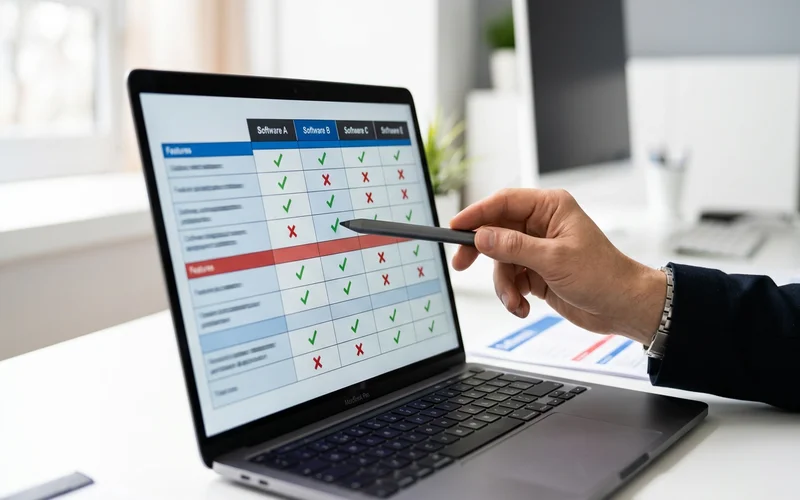
Every order automation vendor says the same things. "Handles any format." "Integrates with any ERP." "Improves accuracy." The language is identical across the category, which makes it nearly useless for evaluation.
The difference between a tool that actually handles your distribution inbox and one that looks good in a demo becomes apparent the moment you send a real customer email through the system. One that works returns the correct matched line items. One that doesn't returns a generic failure or an obviously wrong match.
This guide gives you six specific criteria for evaluating order automation software for a distribution business, and six questions to ask in every vendor conversation. The criteria are designed so that genuine capability produces a verifiable answer and marketing language doesn't.
What order automation software is actually being evaluated
Email order intake automation vs. order management vs. OMS
"Order automation software" covers a broader category than most buyers realize. It's worth narrowing the scope before evaluation.
Order management systems (NetSuite, SAP, Dynamics OMS modules) track what happens to an order after it enters the ERP: fulfillment, inventory, invoicing. Most distributors already have some version of this via their ERP.
Order intake automation handles what happens before the order reaches the ERP: receiving an email, interpreting what the customer wants, matching products to your catalog, and pushing clean data to the ERP. This is the gap most distribution businesses are trying to fill.
This guide focuses on order intake automation specifically, since that's where the bottleneck typically lives. For the OMS distinction, see the order processing software for distributors comparison guide.
The specific gap this software fills
You receive emails from customers. Some are structured and consistent. Many aren't. Your team reads each one, interprets it, matches products, and types it into the ERP. Order processing automation is the category that automates that interpretation-and-entry step.
When evaluating, you're not asking "is this software good?" You're asking "does this software handle the specific types of emails that currently require manual processing at my order desk?" Those two questions have different answers.
The 6 criteria that matter for distribution businesses
Criterion 1: Unstructured format handling (the hardest test)
Most order automation vendors claim they "handle any format." What that means varies dramatically.
Template-based tools handle the formats you've configured templates for. A PDF with a consistent layout and a configured template processes correctly. An email that doesn't match any configured template either fails or goes to manual processing. For a distribution business with 150 customers sending orders in various formats, template-based coverage is always partial — see why template-based automation fails for a detailed breakdown.
AI-native tools interpret meaning from any format without templates. An email that says "same as last week but add 20 more blue 40mm and skip the gaskets" requires understanding account history, resolving informal product references, and identifying a removal instruction — capabilities that only AI interpretation provides.
How to verify: Send the vendor five to ten actual emails from your inbox, including your most informal and ambiguous ones. Ask them to run the emails through their system and show you the output. The accuracy on those specific emails is the relevant measure, not a demo on curated test data.
Criterion 2: ERP integration — API-native vs. template-based
"Integrates with your ERP" needs more specificity before it means anything.
The relevant questions: Is this a pre-built API connector to your ERP, or does it require custom development? Which version of your ERP specifically? What does IT need to configure, and how long does it take? What's the ongoing maintenance burden when the ERP updates?
API-native integrations push standardized output to your ERP's standard order entry endpoint. They're ERP-version-stable and don't require per-customer mapping. Template-based integrations map specific fields between documents and ERP screens; they're more fragile and require updates when either side changes.
How to verify: Ask for the specific API endpoint and authentication mechanism your ERP version uses. If the answer requires significant IT investigation, the integration is either underdeveloped or customized per deployment.
Criterion 3: Catalog matching — how it handles informal product names
The catalog matching step is where most order automation tools fail in practice. Extracting text from an email is tractable. Knowing that "the usual blue DN40 coupling we use on the cooling system" maps to SKU-8847-B in your specific catalog, given this customer's order history, is the genuinely hard problem.
Evaluate catalog matching specifically: how does the tool handle informal product descriptions? What happens when a customer uses a nickname or abbreviation that doesn't appear in your catalog? Does it use order history context to resolve ambiguity?
How to verify: Ask the vendor to process several real orders where your customers use informal product descriptions. Compare the AI's matched SKU against what your team would have entered. The comparison shows the catalog matching quality on your real data.
Criterion 4: Human-in-the-loop quality controls
No AI system handles 100% of orders without any uncertainty. The question is how the system manages uncertain cases: by failing silently, by flagging entire orders for re-entry, or by flagging specific uncertain line items with confidence scores and proposed matches.
The last approach is correct. Flagging specific items with confidence scores means the reviewer sees the AI's proposed match and confirms or corrects in seconds. Flagging entire orders for re-entry means the AI uncertainty costs as much in human time as manual processing would.
How to verify: Ask the vendor to show you the exception queue interface. What does a flagged item look like? Does the reviewer see the AI's proposed match and confidence score? How many clicks does confirmation require?
Criterion 5: Deployment speed (weeks vs. months)
Deployment speed is a direct indicator of the tool's architecture.
Template-based tools require individual configuration for each customer format before any orders automate. A distributor with 100 active customers needs 100 templates. Building and testing those templates takes months, not weeks.
AI-native tools handle format variability by default. There's no per-customer template configuration. Deployment time is primarily the ERP integration setup and the pilot phase — typically two to six weeks total.
If a vendor quotes a six-month implementation timeline, you're looking at a template-based tool. That's not necessarily wrong if your order intake is predominantly structured, but it's useful information about the tool's architecture.
How to verify: Ask for the deployment timeline for the last three distribution customers at comparable order volume. The actual timeline, not the projected timeline.
Criterion 6: Distribution-specific proof (not generic AI claims)
"Our AI achieves 98% accuracy" is a claim. "Meesenburg Romania, a multi-category industrial distributor, achieved 98% no-modification accuracy on live production orders" is evidence from a named customer with a verifiable context.
Require distribution-specific proof from named customers at comparable volume and catalog complexity. Generic AI accuracy claims (often measured on controlled test datasets) don't predict performance on your specific inbox.
How to verify: Ask for two to three named distribution customer references. Ask what their catalog complexity is, what percentage of their orders are unstructured emails, and what their measured automation rate and accuracy rate are in production.
See How OrderFlow Answers All 6 Questions
The 6 questions to ask every vendor
Use this checklist in every vendor conversation and demo:
Show me your system processing this specific email from our inbox. Hand them an actual customer email, including an informal or ambiguous one. Watch what the output looks like. If they decline or redirect to a curated demo, note it.
What happens when the AI is uncertain? Show me the exception queue. Watch the actual review interface. Confirm you see the proposed match, the confidence score, and a simple confirmation mechanism.
What version of our ERP do you support, and is it a pre-built connector or custom development? Get specifics. "We integrate with SAP" isn't an answer. "We use OData REST API against SAP S/4HANA and it took our last customer 8 hours of IT time to configure" is.
How long did your last three distribution deployments take from kickoff to live processing? Ask for actuals, not estimates. The real timeline reflects the tool's architecture and your likely experience.
Can you name a distribution customer at comparable volume we can contact for a reference? If they can't name a reference who will take your call, treat their accuracy claims as unverified.
What does your pricing look like at our order volume, including all setup costs? Get total cost of ownership over three years, including any per-customer configuration costs and ongoing template maintenance fees.
Red flags to watch for in vendor demos
Demo uses only clean, structured PDFs. Your inbox isn't all clean PDFs. If the demo doesn't show the system processing at least one free-text email, you're not seeing what matters.
Accuracy stated as a percentage with no context. "97% accuracy" on what? Structured EDI transactions? Curated test emails? Ask for the specific context, data source, and measurement methodology.
"Seamless integration" without specifics. Any claim about integration that doesn't include the specific API, version, and IT hours is a placeholder.
Six-month implementation timeline presented as normal. It may be normal for the tool they're selling. It's not normal for AI-native tools. Know the difference.
No named customer references in distribution. Generic references or case studies without named customers are a signal.
How to run a pilot evaluation
A pilot structured to produce actionable data:
Week 1: Send the vendor 50 to 100 actual orders from the last 30 days, including your most difficult formats. Ask for the output: matched line items, confidence scores, flagged exceptions. Compare against what your team would have entered. This is your accuracy baseline.
Weeks 2 to 3: Run the system in shadow mode — AI processes alongside manual, your team reviews all AI output. Track no-modification rate, exception rate, and review time per flagged item.
Week 4: Live with exception review only. Monitor accuracy and turnaround time on exceptions.
Success criteria to set before the pilot: accuracy above 90% on all input types combined, not just structured orders; flagged exceptions represent genuine ambiguity, not template failures; processing time per order in seconds, not minutes.
The sales order automation software comparison covers how specific vendors in the category perform against these criteria with distribution-specific depth.
Book an Evaluation Demo — Bring Your Hardest Order Formats
Frequently Asked Questions
How do I choose order automation software for my distribution business?
Evaluate against six criteria: unstructured format handling, ERP integration method, catalog matching capability, human-in-the-loop quality controls, deployment speed, and distribution-specific proof. The most important single test is asking the vendor to process your actual orders before committing to a pilot.
What is the most important criterion?
Format variability handling. Ask every vendor to process a sample of your actual inbox, including your most informal emails. This is the test that separates genuine capability from marketing claims about "handling any format."
How do I compare vendors?
Ask each vendor the same six questions in sequence and compare answers side by side. Require specific, verifiable answers rather than category language. "We handle any format" is a claim. "We processed 98% of your test orders without modification" is evidence.
What questions should I ask in a demo?
Six: (1) process this specific real email for me, (2) show me the exception queue interface, (3) what version of my ERP with what connector, (4) what were the actual deployment timelines for your last three distribution customers, (5) give me a named reference I can call, (6) what's total cost of ownership over three years.
How long does a typical pilot take?
Two to four weeks for a well-structured pilot. AI-native tools typically go live within four to eight weeks of decision. Template-based tools take three to six months due to per-customer configuration requirements.