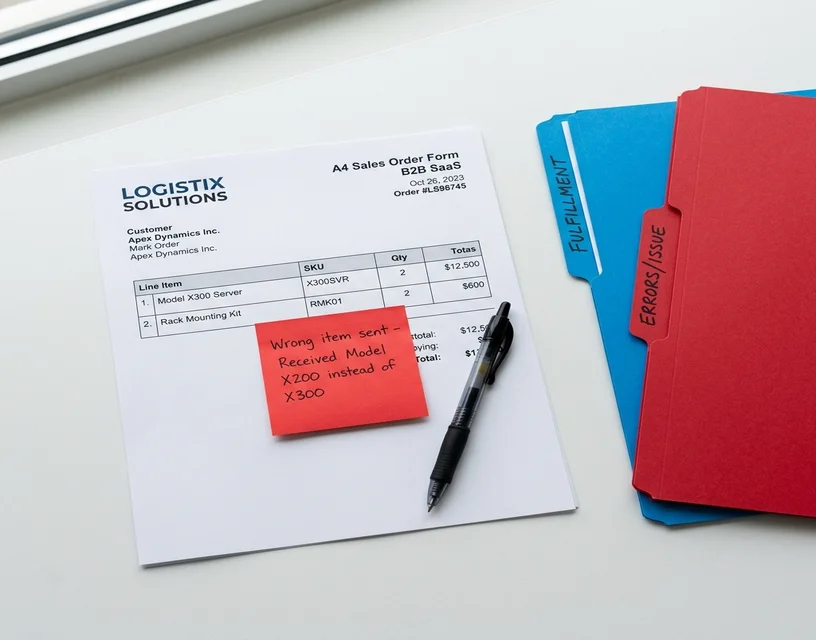
Your largest customer just upgraded their ERP. Good news for them. Their new system exports purchase orders differently. Column headers changed. Product codes moved. The delivery date field shifted from the top-right header to a line at the bottom.
Your automation broke.
This is not a one-off. It happens every time a customer updates their system, swaps procurement tools, or just decides to change how they format orders. And in a distribution business with a few hundred active customers, format changes happen all the time. Not catastrophically. Just steadily, without warning, on a Tuesday afternoon.
That is the core failure mode of template-based order automation. It's also the reason so many distribution teams who invested in OCR or RPA several years ago are still processing a large share of their orders manually today. This article explains exactly how these systems break, what that costs, and what a different approach looks like in a live production deployment.
What Template-Based Systems Actually Do
Before diagnosing the failure, it helps to be precise about what these systems are built to do.
Template-based automation works by defining the expected layout of a document. You build a template for Customer A's purchase order: product code in column B, quantity in column D, delivery date in the top-right header. When a new order arrives, the system matches it against that template and extracts the data from those fixed positions. When the document matches the template, it works well. Extraction is fast and consistent.
The problem lives in the word "matches." Real distribution order intake doesn't match anything consistently.
This covers OCR tools, first-generation EDI adapters, and most rule-based RPA implementations. The underlying architecture is the same: a fixed layout assumption that breaks when reality deviates from it.
Three Ways Templates Break in Practice
Talk to any operations manager who has run template-based automation for more than 18 months and you'll hear the same thing. It's not the initial setup that hurts. It's the maintenance.
A customer changes their format
Customer A has been sending structured PDF purchase orders for three years. Same layout every time. Your template handles it perfectly. Then their IT team rolls out a new ERP. The new system exports POs differently. Column 3 is now column 4. "Product code" is now labeled "Part number." The delivery date moved.
Your template breaks. Until someone rebuilds it, those orders fall back to manual processing. If it happens late on a Friday, you might not catch it until Monday morning.
A customer sends free-text emails
Many customers don't use structured documents at all. They send orders as conversational emails. "Can you do 50 units of the blue gaskets, same as last time? Also add 20 of the small reducer fittings. Need it by Thursday."
There's no template for this. No column, no field, no fixed layout to extract from. It's language. The only way to process it accurately is to read it and understand it. Template-based systems can't do that. The order goes to a person.
A customer sends something novel
A new customer sends their first order as a photo of a handwritten list. Another sends a spreadsheet using their internal product codes, which don't match your catalog. A third forwards an order that arrived to them as a WhatsApp message.
Every one of these formats either needs a new template or manual processing. Building a template for handwritten notes isn't really possible. Building one for a format that exists in exactly one customer's workflow is technically possible but expensive to maintain.
The picture this paints is worth sitting with. If your business has 300 active customers and even a quarter of them send orders in formats that don't fit your templates, you have 75 customers generating manual work every time they order.
The Hidden Cost of Template Maintenance
The maintenance burden is rarely quantified when teams implement template-based systems. The upfront cost looks manageable. The ongoing cost accumulates quietly.
Template creation time
Creating an accurate template for a new customer's document format takes two to four hours of skilled configuration work. A distributor onboarding 10 new customers a month is spending 20 to 40 hours per month on template setup, before those templates ever need updating.
Rework when formats change
Each template failure sends orders back to manual processing. Experienced order entry teams operate at roughly a 3% error rate under normal conditions. Under the pressure of clearing a backlog during a template failure, that rate climbs. Each order error has a direct cost: re-shipments, credit notes, customer communication, expedited handling. At any meaningful order volume, the math gets uncomfortable fast.
IT involvement
Business users typically can't modify templates themselves. Every broken template is an IT ticket. Every format change from a major customer becomes a small project. This is not a theoretical bottleneck. For distribution businesses processing hundreds of different customer formats, it's a recurring drain.
Delayed onboarding
A new customer can't fully onboard until their template is built and tested. In practice, that means new customers send their first few orders through manual processing, which is slower, more error-prone, and makes a poor first impression. The template-dependent system creates friction at exactly the moment when you're trying to establish a reliable relationship.
Teams that move to order processing automation that doesn't rely on templates consistently report that this maintenance overhead disappears almost entirely. Not because customers stop changing their formats. Because format changes no longer matter.
Why Previous Automation Attempts Failed
Most distribution teams evaluating AI order processing aren't doing it as a first attempt at automation. They've already tried something. OCR tools. Template-based RPA. EDI integrations. They've watched those systems fail and had to explain the failures to management.
Their skepticism isn't irrational. It's based on experience. And it's worth addressing directly.
The previous attempts failed for a specific reason: the tools were designed for a different problem. OCR and template-based RPA were built for structured, predictable inputs. They perform well when every document follows a consistent layout. Distribution order intake doesn't follow a consistent layout. It varies by customer, by format, by day.
EDI integrations handle this by requiring trading partners to adopt a standardized data format. That works for the large enterprise customers who have the technical resources to comply. It doesn't work for the small and mid-size customers who represent most of a typical distributor's order volume and who send orders as emails, PDFs, and informal messages.
The failure was a mismatch between the tool and the actual problem. That's worth naming clearly, because it changes how you evaluate the next approach.
How AI-Based Order Processing Handles This Differently
The technical distinction matters here. Template-based systems recognize patterns in document structure. AI-based systems interpret meaning from document content. That's not a marketing reframe. It's a concrete difference in how the underlying process works.
A template system processes a PDF and applies the rule: "Extract the value from cell B7 as the product code." An AI system reads the full document and reasons: "This document contains a list of products with quantities and identifiers. Based on this customer's ordering history and the product catalog, 'Blue 40mm reducer' most likely maps to SKU RF-40B."
When the customer changes their PO format, the template system fails because cell B7 no longer holds the product code. The AI system doesn't care where the product code appears. It understands what a product code is, what context surrounds it, and how to match it to your catalog.
This is the same capability that handles free-text emails. The structure of the sentence doesn't matter. The meaning does.
Sales order automation built on this approach handles something that template-based systems structurally cannot: the full range of formats that real customers actually use. Clean PDFs, typed emails, handwritten notes, photos of handwritten notes, spreadsheets with non-standard product codes.
For each order, the AI extracts the line items, assigns a confidence score to each match, and routes low-confidence items to a human review queue before anything reaches your ERP. Nothing uncertain enters your system without a human decision attached.
What This Looks Like in Production
The Meesenburg Romania case study is the clearest available evidence of what this produces in a live distribution operation.
Meesenburg is a building materials distributor. They process orders from hundreds of customers who send orders in a wide range of formats, including many that template-based systems couldn't handle at all. After deploying AI order processing, approximately 98% of orders required no modification after the AI processed them. 50% were fully automated end-to-end, meaning no human touched them between the customer's email and the ERP entry.
That result didn't come from a clean demo environment with carefully selected test documents. It came from the real order mix, including the messy ones.
The 98% figure is worth pausing on. In a manual operation, experienced teams typically achieve around 97% accuracy. AI order processing matches or exceeds manual accuracy while eliminating the manual work for the majority of orders.
What to Look for When Evaluating Alternatives
If you're considering moving away from template-based automation, a few questions will tell you quickly whether a vendor has actually solved the problem or repackaged it.
Does it require per-customer setup?
A genuine AI interpretation system needs no customer-specific configuration before processing the first order. If the vendor's proposal includes a per-customer onboarding phase with template or rule definition, you're looking at a template system with different marketing language.
How does it handle formats it has never seen?
The honest answer is: it attempts to extract meaning, assigns lower confidence to uncertain items, and routes those to human review. Any claim of 100% automation on completely novel formats without a review step is a red flag.
Where is data processed?
For EU-based distributors, this is not negotiable. Customer order data is commercially sensitive. GDPR compliance by design and EU data residency are baseline requirements.
What is the source of the accuracy data?
Published accuracy claims from controlled demo environments are not comparable to production figures from real order mixes. Ask for named customers, real order volumes, and honest descriptions of what percentage of orders go through human review.
Frequently Asked Questions
Why does template-based order automation keep breaking?
Template-based systems are built around a fixed document layout. When a customer changes how they format their orders (a new ERP, a different procurement tool, a revised column layout), the template no longer matches and extraction fails. In a distribution business with hundreds of active customers, these format changes happen constantly. The system can't adapt because it was never designed to.
What's the difference between OCR and AI order processing?
OCR reads characters from a document. Template-based OCR tools combine that text extraction with a layout map that assigns fields to fixed positions on the page. AI order processing skips the template. It reads the full document content and interprets meaning, matching product descriptions and quantities to your catalog based on what the document says, not where on the page it says it.
How much does template maintenance actually cost?
Direct costs include two to four hours per template build, IT time for updates when formats change, and manual processing labor during template failures. Indirect costs are larger: order errors from manual fallback, delayed onboarding for new customers, and experienced staff spending time on mechanical data entry instead of customer work.
Can AI handle free-text email orders with no standard format?
Yes. This is where AI most clearly outperforms templates. A free-text email like "same as last time but add 20 of the blue 40mm reducers" has no column, no layout, no structure. It's language. AI reads the sentence, interprets the intent, matches the product to your catalog, and flags the line item if the match is uncertain.
How long does it take to switch from template-based to AI order processing?
Most distributors are operational within a few weeks. There are no per-customer templates to build before going live. The system connects to your catalog and ERP, then processes incoming orders from day one regardless of format.
What happens when the AI isn't confident about a product match?
Low-confidence items surface in a human review queue before anything reaches your ERP. The reviewer sees the original order text alongside the proposed match and confidence score, then confirms or corrects it. Nothing uncertain enters your system without a human decision.
If your team is spending hours each week maintaining templates, clearing manual backlogs when they break, or delaying new customer onboarding while templates get built, that time has a cost. The alternative is worth seeing on your actual order mix, not a demo dataset.