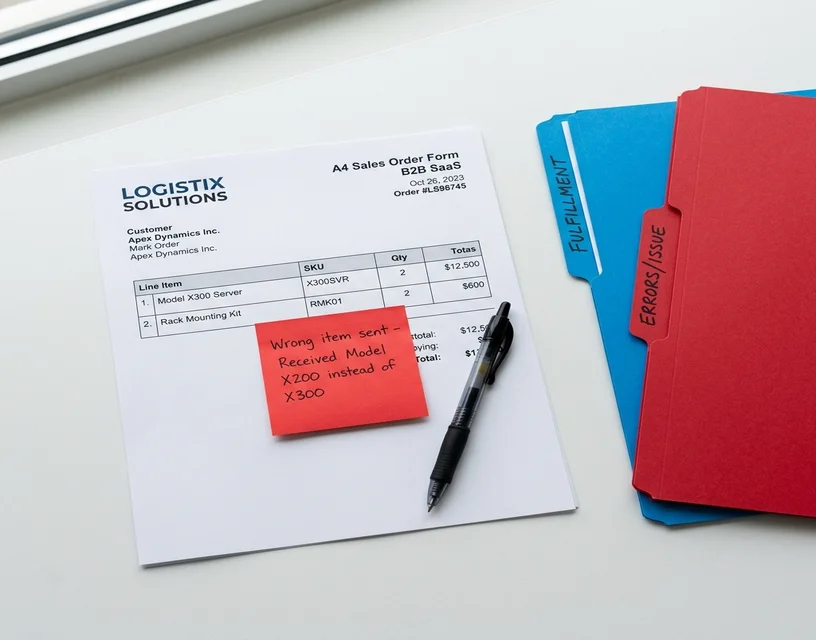
Your CSRs are not slow. They are spending 6 minutes per order because the customer wrote "24 of the long red ones and the same connectors as February, but the metric version this time" in an email with no product codes, no PO number, and a PDF attachment that is actually a photo of a whiteboard.
That is not a speed problem. That is an interpretation problem. And it is the reason most order entry automation projects fail: they automate the typing, not the thinking.
This guide covers how to automate order entry for distributors when the real bottleneck is format variability, not keystroke speed. Not theory. The specific approach that produced a 98% no-modification rate at a European distributor running real orders in production, and the cost framework to calculate whether automation makes sense for your operation.
What Is Order Entry Automation (And Why Distributors Need a Different Approach)
Order entry automation eliminates the manual step of reading an incoming order, interpreting what the customer wants, finding the right products in your catalog, and keying line items into your ERP. For most distribution businesses, that step is the single largest consumer of CSR time. It is also where the majority of errors originate.
The distinction between order entry automation and order processing automation matters. Order processing includes everything downstream: inventory allocation, fulfillment, shipping, invoicing. Those steps are already well-served by your ERP. The bottleneck is upstream, at the data entry point, where a human reads an ambiguous email and translates it into structured data.
Distribution order entry is different from order entry in manufacturing, retail, or services for one specific reason: your customers control the input format, and they will never standardize it.
A manufacturer receives orders from a known set of retailers through EDI or a portal. A distributor receives orders from 200 to 500 customers, each with their own habits. Some send structured PDF purchase orders. Some send free-text emails. Some send photos of handwritten lists. Some reply to an old email thread with "same again but add 15 of the small ones." Some switch formats without warning when they change their internal systems.
This format variability is the multiplier that makes distribution order entry uniquely expensive to automate with traditional tools. It is also the reason that the automation approach matters far more than the automation vendor.
The format-variability problem in numbers
Not all order formats carry the same error risk. Manual entry error rates vary significantly depending on what your CSR is working with:
- Structured PDF purchase orders with product codes and quantities in a table: ~2 to 3% error rate. These are the easiest inputs. Templates work here.
- Free-text email body orders with product descriptions but no codes: 5 to 8% error rate. Interpretation is subjective, and two CSRs may match the same description to different SKUs.
- Handwritten or photographed orders: Error rates climb further. Legibility compounds the interpretation challenge.
- Reply-chain and "same as last time" orders: Error rate depends entirely on whether the CSR correctly recalls or locates the previous order.
Your blended error rate depends on your format mix. A distributor whose inbox is 70% structured PDFs and 30% email body text has a different cost profile than one whose inbox is 40% free-text, 20% handwritten, and 40% PDFs. Template-based automation covers the structured portion and leaves the unstructured portion, which has the highest error rate, on your team.
This is why order entry automation ROI cannot be calculated from volume alone. You need to know your format mix.
The Real Cost of Manual Order Entry at Distribution Companies
Most distributors know that manual order entry is expensive. Few have calculated the actual number. The reason: the cost is distributed across salaries, errors, overtime, training, and turnover, so no single line item in the budget captures it.
Here is the framework.
Direct labor cost
A CSR handling order entry at a mid-market distributor earns $35,000 to $55,000 per year (fully loaded with benefits). If order entry consumes 20 to 40% of their time (the rest is customer service, quoting, follow-ups), the order entry labor cost per CSR is $7,000 to $22,000 annually.
A team of 6 CSRs processing 60 orders per day: $42,000 to $132,000 per year in order entry labor alone. Scale to 15,000 orders per year and the team grows. Scale to 30,000 and it grows again. Every growth milestone requires proportional headcount because manual entry does not benefit from economies of scale.
For a distributor processing 15,000 orders per year, the total annual order entry labor cost typically falls between $200,000 and $350,000.
Error cost
Manual teams maintain approximately a 3% error rate. But that 3% is an average across all formats. Your actual blended rate depends on what lands in your inbox.
Assume 15,000 orders per year at 3% blended error rate: 450 errors annually. Each error triggers a cascade: investigation, customer communication, potential return, credit note, re-shipment, and in some cases, the beginning of a customer's decision to find an alternative supplier. Industry research shows that 85% of B2B customers are likely to churn or reduce spending after just three errors.
At a conservative $50 to $150 direct cost per error (not the $18,000 fully loaded figure that includes customer churn risk), those 450 errors cost $22,500 to $67,500 per year. The true cost is higher if even a single large account reduces orders due to repeated errors.
The costs nobody budgets for
Training cost. A new CSR needs 2 to 4 weeks to reach basic proficiency on product matching. During that period, error rates are significantly higher, and a senior team member is partially diverted to supervision. Average annual turnover for order entry roles in distribution: 15 to 25%. At a 6-person team, that is 1 to 2 new hires per year, each requiring ramp-up.
Institutional knowledge risk. Your most experienced CSR carries years of product knowledge in their head. They know that Customer A calls the DN40 fitting "the blue one." They know that "the usual" for Customer B means the same 12-line order from March. When that person leaves, the knowledge leaves with them. New hires make interpretation errors that the veteran never would.
Peak period cost. Month-end, seasonal spikes, promotional periods. Order volumes surge 30 to 50%. The team falls behind. Backlogs form. Error rates climb because speed pressure overrides accuracy discipline. Overtime bills spike. Or you bring in temps who need training and make more errors still.
Opportunity cost. Your CSRs are your front line with customers. When 40% of their day is spent on data entry, 40% of their potential customer relationship value goes unrealized. Upselling, cross-selling, proactive outreach, account development: none of that happens when the team is buried in order entry.
Add it up and a distributor processing 15,000 orders per year spends $250,000 to $420,000 annually on order entry and its consequences. The figure scales linearly with volume. Double the orders, roughly double the cost.
See How OrderFlow Handles Your Messiest Orders
Why Traditional Automation Fails for Distribution Order Entry
If you have tried to automate order entry before, the failure probably looked like one of these scenarios.
The template trap
Template-based systems (OCR with per-customer templates, RPA bots configured for specific formats) work on a simple premise: if you can define the layout, the software can extract the data.
The problem for distributors: you would need a template for every customer format, and those formats change. Customer A updates their ERP and their PO layout shifts. Customer B's new purchasing coordinator switches from PDF attachments to email body text. Customer C starts sending photos from their phone instead of typed lists.
Industry data shows that only 5% of purchase orders match template-based systems correctly on first attempt. The rest need manual intervention, template adjustment, or both. Within 12 months of deployment, template maintenance becomes a recurring IT task that grows with your customer base.
The sunk cost is not the license fee. It is the 6 months your team spent configuring templates for your top 30 customers, only to find that the templates need updating every quarter and the remaining 170 customers are still fully manual.
The portal illusion
Customer portals seem like the answer: give every customer a structured form, eliminate format variability at the source. In practice, portal adoption for distribution businesses plateaus at 60 to 75% after two or more years of active promotion. The remaining 25 to 40% of customers refuse to adopt the portal because their current workflow works for them. They will always email.
That 25 to 40% is often your longest-standing, highest-value customers. They send orders the way they have always sent orders. Forcing them onto a portal risks the relationship.
So you end up maintaining two systems: the portal for the customers who adopted it, and the same manual process for everyone else. The cost saving is real but partial, and the hardest orders (the unstructured ones from legacy customers) remain on your team.
The RPA ceiling
RPA bots automate keystrokes. They copy data from a predictable screen and paste it into another predictable screen. When both the input and the destination are consistent, RPA works.
Distribution order entry has neither consistency. The input varies per customer. The interpretation step (understanding what "the blue 40mm ones" means in your 30,000-SKU catalog) is not a keystroke sequence. It is a judgment call. RPA cannot make judgment calls.
What RPA does well: automating the final step of entering already-interpreted data into the ERP. What RPA cannot do: the interpretation step that precedes it. If interpretation is your bottleneck (and for most distributors, it is), RPA automates the wrong part of the process.
Why these tools failed, specifically
The common thread is not that these tools are bad technology. They are good technology applied to the wrong problem.
OCR was built for structured documents with consistent layouts. EDI was built for trading partners who agree on a data standard. RPA was built for repetitive, predictable processes. Portals were built for customers willing to change their behavior.
Distribution order entry is none of these things. It is unstructured, unpredictable, and driven by customers who will never conform to your preferred format. Automating it requires a system that interprets meaning, not one that matches patterns.
If you tried automation before and it fell short, the reason was almost certainly a mismatch between tool and problem, not a flaw in the implementation.
How AI-Based Order Entry Automation Actually Works
The shift from pattern matching to language understanding is not incremental. It is a different class of technology solving a different problem.
Pattern-matching tools ask: "Does this document look like a template I recognize?" If yes, extract the fields. If no, fail.
AI interpretation asks: "What is this person trying to order?" It reads the email the way your best CSR reads it: understanding that "24 of the long red ones and the same connectors as February, but metric this time" means specific products in specific quantities, even though no product code or SKU appears anywhere in the message.
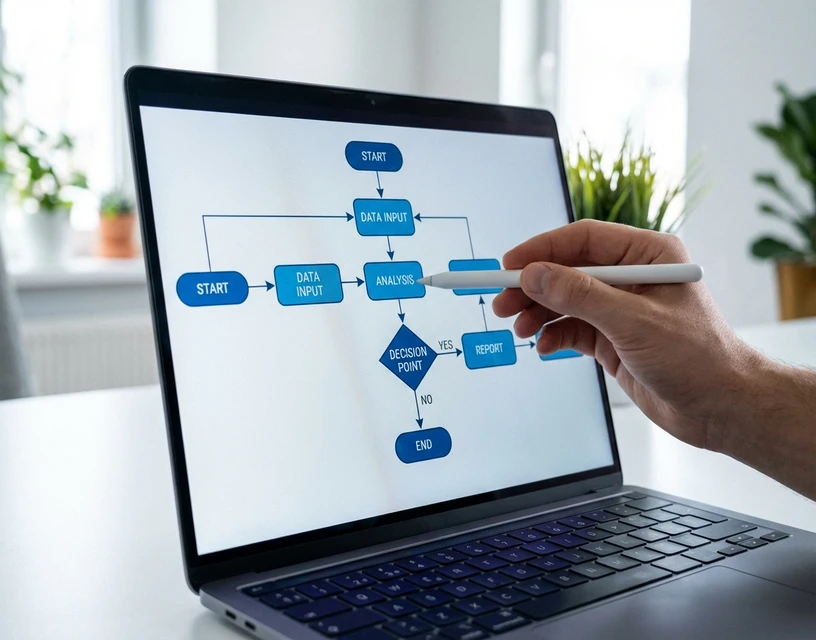
Here is how the process works in production, step by step.
Step 1: Inbox monitoring
The system connects to your order email inbox (or inboxes) and monitors continuously. Every incoming message is evaluated. Orders are identified and routed for processing. Non-order emails (confirmations, general inquiries, spam) are filtered out. No manual triaging required.
Step 2: Format interpretation
This is where AI diverges from every previous approach. The system reads the content regardless of format:
- A free-text email body with no product codes
- A PDF purchase order with a structured table
- A scanned or photographed handwritten list
- A spreadsheet using the customer's internal part numbers
- A reply chain referencing a previous order with modifications
- A message mixing two languages in the same paragraph
No per-customer templates. No format-specific configuration. The AI applies OCR to images and scans, NLP to text, and contextual reasoning to all of it. The goal at this stage is extracting what the customer wants: which products, what quantities, and any special instructions.
Step 3: Product matching
Extracted product references are matched against your internal catalog. This is the step that separates AI from simpler automation. Your customer writes "blue 40mm valve." Your catalog lists it as "BV-40-BL Ball Valve 40mm Blue." A template-based system would need a mapping table to connect those. The AI makes the connection through language understanding.
The quality of your catalog data matters here. The richer your product descriptions, alternate names, and customer-specific aliases, the higher the first-pass match rate. But even with a standard catalog, the AI matches intent to product far more reliably than any rule-based lookup.
For the full technical detail on how AI-based order processing handles product matching, confidence scoring, and edge cases, see our technology page.
Step 4: Confidence scoring and human review
Every line item receives a confidence score. High-confidence matches proceed toward the ERP. Low-confidence items are flagged for human review.
The review interface shows the original order text alongside the AI's interpretation. Your team member sees: "Customer wrote 'the usual connectors, metric version' → AI matched SKU MC-DN25-SS, quantity 12, confidence 0.73." The team member confirms, adjusts, or rejects in seconds. Not minutes.
This is the human-in-the-loop design that protects your data. Nothing ambiguous enters your ERP without a person confirming it. The AI handles the volume. Humans handle the judgment calls.
Step 5: ERP output
Confirmed orders are pushed into your ERP as structured sales orders. Line items, quantities, customer details, delivery instructions: all formatted to your system's requirements. No re-keying. No copy-paste from email to ERP screen.
The output integrates with SAP, Microsoft Dynamics, Sage, and other distribution ERPs through pre-built connectors or API. The key for IT teams: OrderFlow sits as an intake layer in front of your ERP. Your existing system stays exactly as it is. The AI adds interpretation capability upstream.
Real Results: What Order Entry Automation Looks Like in Production
Accuracy claims are easy to make in a demo environment. Clean PDFs, known formats, pre-configured catalogs. Every vendor looks good on their own test data.
Production is different. Production is the inbox at 7:45 AM on a Monday with 52 orders in 11 formats, three languages, and two emails that are just photos taken under fluorescent warehouse lighting.
At Meesenburg Romania, a European distribution business, OrderFlow processed real production orders across the full format spectrum. The results: Meesenburg Romania achieved a 98% no-modification rate. 50% of all orders were fully automated end-to-end with no human involvement. The other 50% benefited from AI pre-processing that reduced review time from minutes per order to seconds.
Those numbers were measured on actual customer orders, not a curated demo set. Free-text emails, scanned documents, mixed-language messages, handwritten notes. The formats that break template-based systems entirely.
Two aspects of this result matter for your evaluation.
The 98% is not 100%. And that is the point. The 2% that needed modification were genuinely ambiguous cases: a product reference that could match two SKUs, a quantity that seemed unusually high, an instruction that contradicted the line items. Confidence scoring caught them. A team member resolved each one in seconds. Nothing bad entered the ERP.
The 50% full automation rate is the starting point, not the ceiling. As the system processes more of a distributor's specific orders over time, the matching accuracy improves. Customer-specific patterns, product aliases, and ordering habits become part of the model. The full automation rate climbs.
What these numbers mean for your ROI
Take the cost framework from the previous section. A distributor processing 15,000 orders per year with a $250,000 annual order entry cost.
If AI automation reduces manual processing time by 80% on the 50% of orders that are fully automated, and by 60% on the 50% that need brief human review, the labor savings are substantial. Your 6-person team is not reduced to zero. Three to four people handle the same volume with less stress, fewer errors, and time left over for customer relationship work that actually drives revenue.
The error reduction matters more. Moving from a 3% blended error rate to under 1% on 15,000 orders eliminates roughly 300 errors per year. At $100 per error, that is $30,000 in direct savings. At the fully loaded cost that includes customer retention risk, the number is much larger.
McKinsey research on order management automation shows 10 to 15% cost reduction for organizations that automate the intake step, with processing time dropping from 2 to 3 days to 1 to 2 hours.
Time to payback for most mid-market distributors: three to six months.
Read the Full Meesenburg Case Study
How to Evaluate Order Entry Automation for Your Business
Not every distributor needs the same solution. The right automation approach depends on your format mix, your ERP environment, and whether you have been through a failed automation project before.
Start with your format audit
Before talking to any vendor, pull your last 100 orders and categorize them:
- What percentage are structured PDFs with product codes?
- What percentage are free-text email body orders?
- What percentage are scanned, handwritten, or photographed?
- What percentage reference previous orders ("same as last time")?
If more than 40% of your orders fall into the unstructured categories, template-based tools will automate the minority and leave the expensive majority on your team. AI interpretation is the only approach that covers the full range.
If 80%+ of your orders are structured PDFs from a small customer base, template-based OCR may be sufficient. But ask yourself: what happens when that format mix shifts? Customers change systems. New customers join with different habits. A solution that works for today's format mix but cannot adapt to tomorrow's is a short-term fix.
The vendor questions that matter
"What happens when a customer changes their order format?" If the answer involves template updates, support tickets, or configuration changes, the system scales with your customer base in the wrong direction. AI-based systems handle new formats without configuration changes.
"What is your accuracy on free-text emails with no product codes?" Not PDFs. Not structured POs. The hard cases. If the vendor cannot provide this number from a named customer, their accuracy claims may be measured on the easy inputs only.
"Can I pilot with my actual orders?" The best evaluation uses your real data, not a prepared demo. Send the vendor 50 orders from the last month, including the messiest examples. If they will not run a pilot on your data, ask why.
"What ERP connectors are pre-built?" Pre-built connectors for SAP, Microsoft Dynamics, and Sage go live in days. Custom integrations take months. Know which one you need before the first meeting.
"Where is the data hosted?" For EU-based distributors, GDPR compliance and European data residency are non-negotiable. Ask explicitly. American vendors may route data through US servers.
The "burned before" conversation
If you are evaluating order entry automation after a previous failed attempt, name it directly in the vendor conversation. Tell them what you tried, why it failed, and what the failure cost. A good vendor will explain specifically why their approach handles the problem that your previous tool could not. A weak vendor will dismiss your previous experience and promise their tool is "different" without explaining the mechanism.
The mechanism that matters: template-free interpretation. If the new system does not require per-customer templates, does not break when formats change, and uses confidence scoring to escalate genuinely ambiguous cases, it is architecturally different from OCR and RPA. If it still relies on templates or rules, it will fail the same way.
Building the internal business case
Your Operations Manager feels the pain. Your IT Director needs to vet the integration. Your GM needs to see the ROI. For sales order automation for distribution at the product level, our product page covers the capabilities. Here is what each stakeholder needs for the evaluation.
For the Operations Manager: Hours saved per rep per day. Error rate reduction. A pilot on real orders that proves accuracy on unstructured formats. The Meesenburg case study as a reference. Reassurance that the team is not being replaced: the AI handles the data entry, the team handles the judgment calls and customer relationships.
For the IT Director: API documentation. ERP connector details for your specific system. GDPR compliance confirmation. European data hosting. Confidence scoring and audit trail for data quality. Low ongoing IT maintenance (no template management, no per-customer configuration). The question they need answered: "How much of my time does this consume after go-live?"
For the GM: ROI calculation using your actual order volume and error rate. Payback timeline in months. The strategic argument: order entry automation is not headcount reduction, it is growth without proportional cost increase. When order volume doubles, you do not need to double your team.
If you want to understand the broader category, including how different automation generations compare and a framework for evaluating vendors across all criteria, our complete guide to order processing automation covers the full landscape.
What good implementation looks like
The pattern that works: pilot in week one, shadow mode in weeks two through four, production in week five.
During the pilot, the vendor processes 50 to 100 of your real orders and you compare the output to your team's manual results. During shadow mode, the AI processes everything but a human reviews every order before it reaches the ERP. This is where you build trust and catch systematic issues. In production, high-confidence orders proceed automatically and only flagged exceptions require human review.
Total time from first conversation to production orders flowing into your ERP: four to six weeks. Compare that to the 3 to 6 month timeline for enterprise template-based platforms, or the 12+ months for EDI onboarding across your customer base.
For the technical walkthrough of how AI handles the interpretation step, including OCR for scans, NLP for text, and product matching against your catalog, see how AI processes email orders for the step-by-step explanation.
The Format-Variability ROI Calculator
Standard ROI calculators for order entry automation use a single error rate across all orders. That misses the point. Your ROI depends on your format mix, because different formats carry different error rates and different automation potential.
Here is a more accurate framework. Fill in your numbers.
Step 1: Categorize your daily orders by format.
| Format | Your daily count | Typical manual error rate | Automation potential (AI) |
|---|---|---|---|
| Structured PDF POs | ___ | 2–3% | 90–95% full automation |
| Free-text email body | ___ | 5–8% | 70–85% full automation |
| Spreadsheet (customer codes) | ___ | 3–5% | 80–90% full automation |
| Scanned/handwritten | ___ | 6–10% | 60–75% full automation |
| Reply-chain/reference orders | ___ | 4–7% | 65–80% full automation |
Step 2: Calculate your format-weighted error cost.
For each format: daily count x error rate x 250 working days x cost per error ($50 to $150).
A distributor processing 60 orders per day with this mix: 25 structured PDFs (2.5% error rate), 20 email body orders (6% error rate), 10 spreadsheets (4% error rate), 5 handwritten (8% error rate). At $100 per error:
- PDFs: 25 x 0.025 x 250 x $100 = $15,625
- Emails: 20 x 0.06 x 250 x $100 = $30,000
- Spreadsheets: 10 x 0.04 x 250 x $100 = $10,000
- Handwritten: 5 x 0.08 x 250 x $100 = $10,000
Total annual error cost: $65,625. The email body orders, which are only a third of the volume, generate almost half the error cost. This is the format-variability multiplier in action.
Step 3: Estimate your automation savings.
If AI reduces the blended error rate from the weighted average (~4.2% in this example) to under 1%, the annual error cost drops from $65,625 to roughly $15,000. Labor savings from reduced processing time add another $80,000 to $120,000 depending on team size.
The total first-year savings for this example: $130,000 to $170,000 against a typical AI solution cost of $20,000 to $40,000 annually. Payback in months.
The point of this framework is not the specific numbers. It is that your ROI depends on your format mix, not just your order volume. A distributor processing 100 structured PDFs per day has a very different automation case than one processing 60 mixed-format orders. If you are evaluating tools, start with the format audit. Everything follows from there.
For the full explanation of what sales order automation is and how it evolved from manual processing through templates to AI, our educational guide covers the complete history and the technology shift that makes format-independent automation possible.
Where to Go From Here
You now have three things: a cost framework tied to your format mix, a clear picture of why traditional tools fail on distribution order entry, and the production evidence from Meesenburg that AI interpretation works on the hardest formats.
The next step is practical. Pull 5 to 10 of the most varied orders your team processed this week. The clean PDF. The messy email. The handwritten one. The "same as last time" one. Send them to us. We process them through OrderFlow and show you the output: products matched, confidence scores assigned, exceptions flagged.
If the output matches what your best CSR would have entered, the conversation continues. If it does not, you have spent 20 minutes.
Your team has been solving this problem manually for years. They are good at it. The question is not whether they can keep doing it. The question is whether they should, when a system exists that handles the typing and lets them focus on the work that actually requires a person.
For the full scope of how OrderFlow automates email order processing from inbox to ERP, including the technical architecture for IT evaluation, our dedicated page covers the complete capability.
Book a Call — See OrderFlow on Your Orders