You typed "purchase order automation software" into Google and got a page full of results about Coupa, SAP Ariba, and Jaggaer. Procurement workflow tools. Requisition approval chains. Supplier management dashboards.
None of them process the 47 purchase orders sitting in your inbox right now.
That search result mismatch is not your fault. The term "purchase order automation" has been claimed by procurement software vendors who solve the buyer's problem: creating and sending POs. Your problem is the opposite. You receive POs from customers who each send them in a different format, and your team spends hours converting those POs into structured sales orders in your ERP. The software you need exists, but it sits in a different category than Google's first page suggests.
This guide cuts through that confusion. It covers the evaluation criteria that matter for distributors on the receiving side, scores the available tools against those criteria, and shows what production-level accuracy looks like with data from a real deployment.
Two Categories of PO Software That Look Identical From the Outside
The market splits cleanly into two sides, and most comparison articles don't acknowledge the split.
Procurement-side PO software helps buyers create purchase orders. Coupa automates the requisition-to-PO workflow. SAP Ariba manages supplier catalogs and approval routing. Jaggaer handles sourcing and contract compliance. These tools are built for the company sending the purchase order.
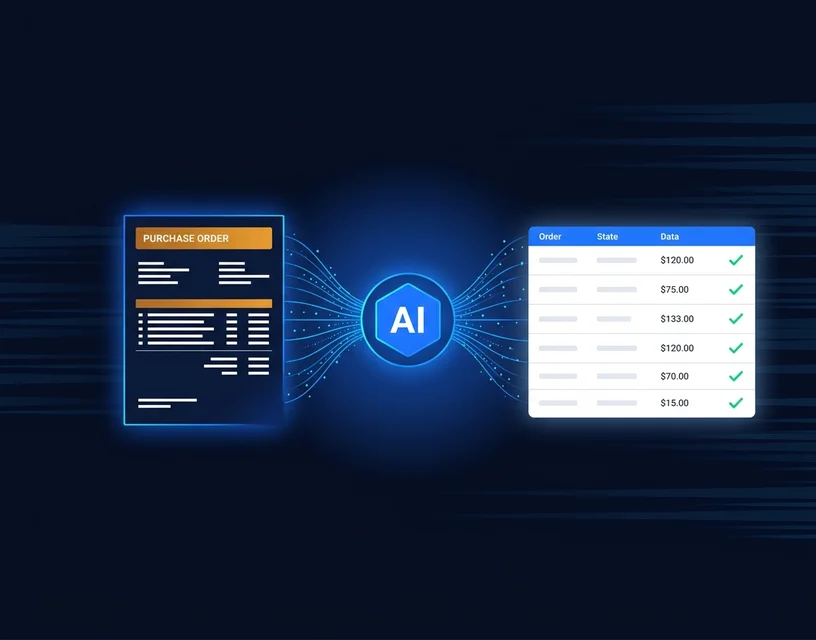
Receiving-side PO software helps suppliers process incoming purchase orders. This is what distributors need: software that reads a customer's PO (in whatever format it arrived), interprets the line items, matches products to your catalog, and outputs a structured sales order for your ERP. OrderFlow, Conexiom, and Esker's order management module all sit on this side.
The confusion matters because it burns evaluation time. Ops managers spend weeks in demos with procurement vendors before realizing the tool doesn't address their workflow at all. If you are the one receiving and processing POs from customers, you need receiving-side software. Everything below focuses on that category.
The Five Evaluation Criteria That Actually Separate These Tools
Feature lists are long and mostly irrelevant. When you strip away the marketing, five questions determine whether a purchase order automation tool works in a real distribution environment.
1. Format coverage: what percentage of your actual inbox can it process?
This is the question that collapses most evaluations.
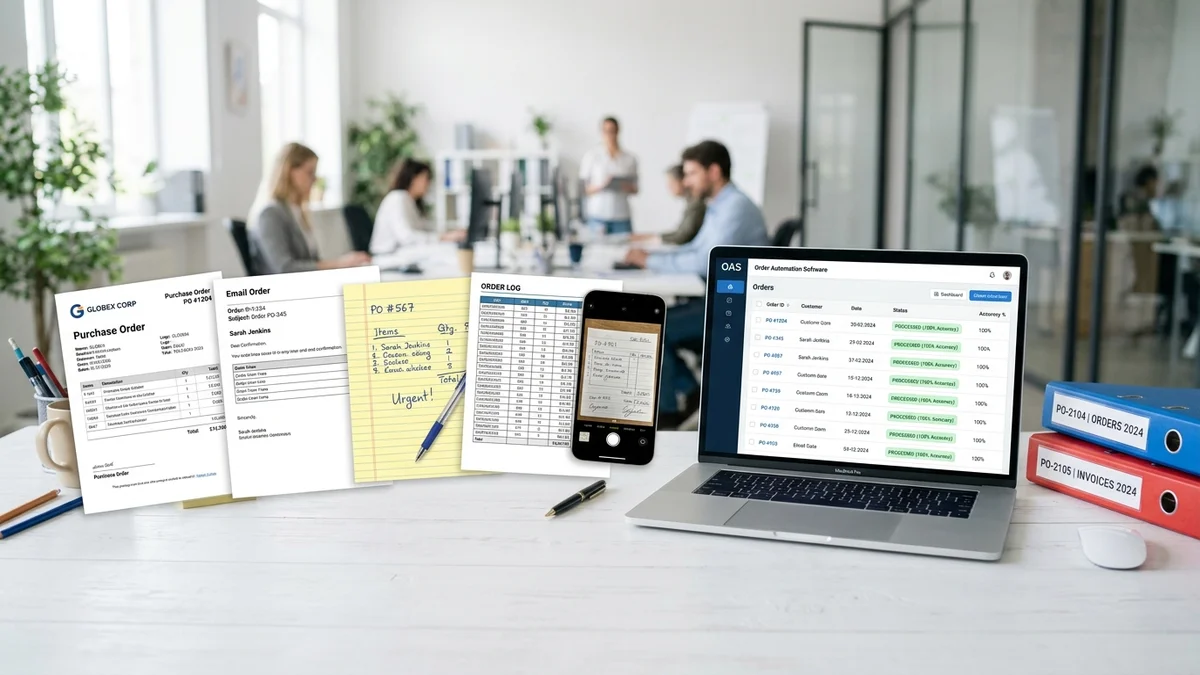
Your inbox on a Monday morning contains structured PDF POs with product codes, free-text emails that say "ship the usual order but swap out the 25mm valves for 32mm," spreadsheets with your customer's internal part numbers, scanned paper POs from the customer who still faxes, and the occasional photo of a handwritten list. Some of these arrive in German. One customer sends orders in Romanian.
Template-based systems handle the structured PDFs well. They fail on the rest. And "the rest" is typically 40 to 70% of a distributor's inbound order volume.
When a vendor quotes an automation rate, ask this: "What input formats were included in that number?" If the answer is "structured documents" or "configured templates," the number tells you nothing about the emails, handwritten notes, and informal messages that take your team the longest to process.
The tool you need handles every format in your inbox. Not 100% automation on every format (that's not realistic on ambiguous inputs), but the ability to process and interpret every format type, flagging genuinely uncertain items for human review rather than failing outright.
2. Catalog matching: does it interpret meaning or just match codes?
Your customers don't use your SKU numbers. They write "the blue 40mm fitting," "part 7742-A" (their internal code), or "same valves as the January order." A senior CSR on your team knows that all three of those refer to SKU BV-40-BL. The question is whether the software does too.
Template-based matching uses field extraction: find the product code field on the document, extract the value, look it up in a mapping table. This works when the customer's code is in the mapping table. It fails the moment a customer uses a description, a nickname, or a reference to a previous order.
AI-based matching interprets the text the way your best rep interprets it. "Blue 40mm fitting" gets matched to BV-40-BL through language understanding, not field lookup. "Same as January" triggers a historical order reference. The difference is visible in production: template matching produces high accuracy on mapped codes and zero accuracy on unmapped descriptions. AI matching produces consistent accuracy across both.
Ask every vendor to process five orders that contain no standard product codes at all. Just descriptions, nicknames, and references. The output on those five orders reveals more about the system's real capability than any feature comparison document.
3. ERP integration: pre-built connector or six-month project?
Every vendor says "seamless ERP integration." The word "seamless" should trigger suspicion, because it obscures a timeline that ranges from days to months depending on the architecture.
The specific questions to ask:
- Do you have a pre-built connector for my exact ERP version? (Not "we support SAP." Which SAP? Business One? S/4HANA? ECC?)
- How many production deployments use that specific connector?
- What data fields does the connector populate in our ERP? (Sales order header, line items, quantities, PO reference number, customer reference, delivery terms?)
- What does my IT team need to do, and for how long?
Pre-built connectors for SAP, Microsoft Dynamics 365, and Sage typically go live in days. Custom API integrations for niche or legacy ERPs take weeks to months. Neither is wrong, but the timeline should be explicit before you sign.
4. Deployment speed: weeks or months to production?
Template-based systems require a setup phase that scales with your customer count. Each major customer format needs its own template or mapping configuration. Twenty active customer formats means twenty templates. And each template needs testing, refinement, and ongoing maintenance when the customer changes their format.
AI-native systems skip the template phase entirely. There's no per-customer configuration because the system interprets meaning rather than matching patterns. The deployment bottleneck shifts to ERP integration (the only part that requires technical work) and catalog preparation.
Realistic timelines: template-based platforms need three to six months from contract to production. AI-native platforms need two to four weeks. That difference isn't trivial for a team that's drowning in manual order entry today. Every week of implementation delay is another week of 3% error rates, $200+ per error, and your best CSRs stuck on data entry instead of customer relationships.
5. Production-verified accuracy: named customer or vendor claim?
This is the criterion that most vendors fail to satisfy.
Accuracy claims without a named customer reference, a specified input mix, and production (not demo) conditions are marketing. Every tool looks accurate on structured PDF purchase orders with clean product codes. The accuracy that matters is on your real-world input mix: the combination of structured and unstructured, coded and uncoded, clean and messy orders that your team processes daily.
When evaluating accuracy claims, demand three specifics: Which customer? (Named, contactable.) What formats? (The full production input mix, not just structured POs.) Under what conditions? (Live production data with no cherry-picking, or a controlled demo with selected inputs?)
The only publicly verified production benchmark in this category comes from Meesenburg Romania, where OrderFlow achieved a 98% no-modification rate on real-world orders, with 50% of orders fully automated end-to-end. Those numbers include free-text emails, scanned documents, and handwritten notes, measured in live production.
Where Each Software Category Falls on These Criteria
Not every tool is bad. Each category solves a real problem. The question is whether it solves your specific problem.
AI-native order interpretation (OrderFlow, Canals AI)
Format coverage: Full inbox. Processes structured PDFs, free-text emails, spreadsheets, scanned documents, photos, handwritten notes, and multilingual orders without requiring per-customer configuration.
Catalog matching: Language understanding. Interprets customer descriptions, nicknames, and references rather than matching against field-extracted codes. Confidence scoring on every line item.
ERP integration: OrderFlow has pre-built connectors for SAP, Dynamics 365, and Sage. Functions as an intake layer in front of existing ERPs.
Deployment: Weeks. No template phase. Pilot on real orders within the first week.
Accuracy: OrderFlow: 98% no-modification rate at Meesenburg Romania (production data). Canals AI: no publicly named production benchmarks available.
Key consideration: Canals AI is U.S.-only. No EU data residency, no GDPR-native infrastructure. European distributors should evaluate data sovereignty implications.
Template-based document processing (Conexiom, Rossum)
Format coverage: Strong on structured documents (PDFs, EDI, formatted emails). Weak or non-functional on free-text emails, handwritten notes, and informal messages. Each format requires a template.
Catalog matching: Field extraction and code lookup. Works when customer codes are in the mapping table. Fails on descriptions, nicknames, and informal references.
ERP integration: Pre-built connectors for major ERPs. Integration is typically more complex due to the template layer between document and ERP.
Deployment: Three to six months. Template creation for each major customer format is the bottleneck. Ongoing template maintenance required when customer formats change.
Accuracy: High on configured templates (85%+ on structured documents). Low or zero on unconfigured formats.
Key consideration: Conexiom's strength is high-volume, structured document environments. If more than 60% of your POs arrive as consistent, formatted documents from a small number of large customers, this category fits.
Enterprise document automation suites (Esker)
Format coverage: Handles common document types (PDFs, EDI). Limited on unstructured formats without significant configuration work.
Catalog matching: Field extraction with some ML-assisted matching. Improving, but not at the level of AI-native interpretation.
ERP integration: Deep connectors for enterprise ERPs. The most complex integration layer on this list, matched by the most comprehensive data mapping.
Deployment: Six months or more for mid-market. Enterprise implementations can run 9 to 12 months.
Accuracy: Published benchmarks are enterprise-aggregate, not distribution-specific. Ask for a distribution customer reference.
Key consideration: Esker is a full-suite platform covering AP, AR, order management, and procurement. If you need all four, the suite makes sense. If you need only PO intake automation, you're paying for modules you won't use. Mid-market pricing starts at $50,000+ per year.
The Scorecard: Scoring Vendors Against Your Requirements
Before sitting through demos, build a weighted scorecard using the five criteria above. Weight each criterion based on your specific situation.
How to weight the criteria:
If your inbox is mostly unstructured (free-text emails, informal messages, varied formats from many customers): weight format coverage and catalog matching highest. Template-based tools will fail your majority use case.
If your inbox is mostly structured (clean PDF POs from a handful of large EDI partners): weight ERP integration and accuracy on structured documents highest. Template-based tools may be sufficient.
If your team is stretched thin today and can't afford a long implementation: weight deployment speed higher.
Sample scoring for a mid-market distributor with 300+ daily orders, 50%+ arriving as email:
| Criterion | Weight | AI-Native (OrderFlow) | Template-Based (Conexiom) | Enterprise Suite (Esker) |
|---|---|---|---|---|
| Format coverage | 30% | 9/10 | 5/10 | 4/10 |
| Catalog matching | 25% | 9/10 | 6/10 | 5/10 |
| ERP integration | 20% | 8/10 | 7/10 | 9/10 |
| Deployment speed | 15% | 9/10 | 4/10 | 3/10 |
| Verified accuracy | 10% | 10/10 | 7/10 | 5/10 |
| Weighted total | 100% | 8.9 | 5.7 | 5.0 |
Your weights will differ. The point is to make the evaluation explicit and traceable, rather than letting demo polish or sales personality drive the decision.
The Cost of Getting This Decision Wrong
A wrong software choice doesn't just waste the license fee. It wastes six months of implementation, burns IT goodwill, and leaves your team exactly where they started, only now with an additional layer of skepticism about automation.
The numbers behind that delay are concrete. Industry data puts the manual order entry error rate at 3% for experienced teams. The fully loaded cost per error (returns, re-shipments, credit notes, customer relationship damage) runs to $18,000 per incident when you factor in downstream churn risk. Research shows 85% of B2B customers are likely to reduce their spending or leave entirely after experiencing just three errors from a supplier.
For a distributor processing 300 orders per day at a 3% error rate, the annual math looks like this: 300 orders times 3% times 250 working days produces 2,250 errors per year. At a conservative $200 direct cost per error, that's $450,000 annually. At the fully loaded $18,000 figure (which includes the customer lifetime value erosion), the exposure is orders of magnitude higher.
Every month spent deploying the wrong tool or recovering from a failed implementation is another month at those numbers. The cost of the software decision isn't the license. It's the opportunity cost of not solving the problem while you're still evaluating.
What "98% Accuracy" Actually Looks Like in Production
Accuracy numbers circulate freely in vendor marketing. What they usually lack is context. Here's what context looks like.
At Meesenburg Romania, a building materials distributor processing real-world orders in varied formats, OrderFlow achieved a 98% no-modification rate. That means 98 out of every 100 orders processed by the AI required zero human correction before entering the ERP. The remaining 2% were flagged by the system's confidence scoring for human review. Flagged orders are not errors. They're the system saying "I'm not confident enough on this line item, please confirm."
Half of all orders were fully automated end-to-end. No human involvement at any stage. From inbox to ERP in seconds.
Those numbers include the formats that break template-based systems entirely: free-text emails with no product codes, informal order requests referencing previous purchases, mixed-language messages, and non-standard attachments. The 98% was measured on the full production input mix, not a subset of easy cases.
For a full breakdown of the deployment, the order team's workflow changes, and the measured business impact, read the Meesenburg case study.
The Evaluation Shortcut That Saves Weeks
Feature comparisons and vendor demos have their place. But there's a faster way to separate tools that work from tools that demo well.
Pull five real purchase orders from last week. Choose the hardest ones:
- The free-text email with no product codes
- The scanned handwritten list
- The spreadsheet with the customer's internal part numbers
- The message that says "same as last month but double the brass fittings"
- The PDF in a language other than English
Send those five orders to every vendor on your shortlist. Ask each one to process them and return the output: matched products, quantities, confidence scores, flagged items.
The vendor whose output matches what your best CSR would have produced is the vendor worth a full pilot. The vendor who says "we'd need to configure templates first" or "those formats aren't supported" has told you everything you need to know about their fit for your operation.
OrderFlow processes those five orders without configuration. No templates. No setup. The AI interprets each one the way a senior rep would, flags anything it's uncertain about, and returns structured ERP-ready data.
Send us three to five of the messiest POs your team received this week, and we'll show you the output. If it matches what you'd hand to your ERP, we schedule a full pilot. If it doesn't, you've spent 20 minutes.
If your order entry process is a mess — book a call now
Beyond the First Deployment: What Happens at Month 6
Buying software is one decision. Living with it is another.
At month six, template-based systems face a predictable challenge: customer format drift. Your customer upgraded their ERP and now their PO layout is different. A new procurement manager started using a different email template. A long-time customer switched from sending PDFs to sending free-text emails. Each change requires a template update, a vendor support ticket, and a waiting period.
AI-native systems don't have this problem. There are no templates to break. A customer who changes their order format tomorrow is processed the same way as a customer whose format the system learned on day one. The AI reads meaning, not layout. Format changes are invisible to the system.
At month six, the other question is institutional knowledge. Your most experienced CSR knows that "Customer A calls the DN40 fitting 'the blue one'" and "Customer B's part 7742 is your SKU FLG-DN50-PN16." That knowledge sits in one person's head. When they leave, it leaves with them. AI-based catalog matching encodes that knowledge into the system. New team members benefit from it immediately. The business becomes less dependent on any single person's memory.
For the full picture on how AI interprets email orders, including confidence scoring and product matching mechanics, see our technical guide. If you want to understand how purchase order automation fits into the broader sales order automation strategy, our product page covers the complete workflow.
The right purchase order automation software doesn't just process today's orders. It gets stronger as it learns your catalog, your customers, and the patterns your team already knows by instinct. Pick the tool that handles your hardest cases today and doesn't need rebuilding when your customers change how they order tomorrow.
If your order entry process is a mess — book a call now