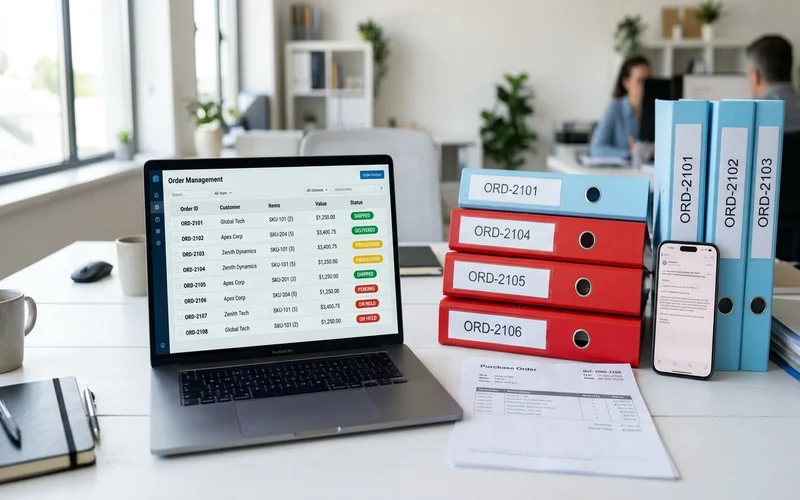
Your EDI connections run clean. The top 20 accounts, the ones who invested in electronic data interchange years ago, send structured orders that map directly into your ERP. Nobody on the order desk touches those.
The other 60% of your order volume is a different story.
Small and mid-size customers don't have EDI capability, and most of them won't adopt it. They email. Some attach PDFs or spreadsheets. Some write "same as last week, double the blue ones." A purchasing manager on site sends a photo of a handwritten list. A repeat customer forwards a text message from a contractor who listed the parts by his own informal names, none of which match anything in your catalog.
That pile is where your team spends most of its day. And it's exactly the category that EDI, OCR tools, and most automation software weren't designed to handle.
Email order automation solves a specific problem: turning unstructured customer communication into ERP-ready sales orders, accurately, without a template for every customer. This article explains what that actually requires, where most tools fall short, and what real-world accuracy looks like on production distribution order data.
The 40/60 Split That Defines Your Order Desk
Most distribution businesses have a two-tier order intake, though few describe it in those terms.
The first tier: large enterprise accounts with EDI capability. They've invested in the infrastructure to send structured electronic documents conforming to your data standard. Every order arrives clean, complete, and machine-readable. Automation here is mature and well-solved.
The second tier is everyone else. Customers who aren't large enough to justify EDI investment, who haven't been asked to conform to a data format, or who simply prefer email. This group typically represents 60% or more of order volume at distributors and nearly all of the order desk's manual work.
The economic logic of forcing these customers onto EDI doesn't hold up. Implementation cost per smaller account exceeds the efficiency gain. The project would take years and most customers would decline or churn rather than comply. What distribution businesses need is a way to handle what those customers already send, which means AI that can read free-form text, interpret intent, and match products to a catalog that doesn't use the customer's vocabulary.
That's what email order automation does. It's a different problem from anything EDI or traditional document processing solves, and it requires a different technical approach.
The Real Challenge: Catalog Matching
Most discussions about email order automation focus on the parsing step: can the software read a free-text email and extract line items? That's necessary. It's not where the real complexity lives.
The hard part is what happens after parsing.
A customer writes "the 40mm blue coupling we use in the cooling towers, same as last time." Your catalog has 47 coupling SKUs. Picking the right one requires understanding this customer's order history, the likely application context, and the semantic relationship between "blue 40mm coupling" and specific product codes in your ERP. A trained CSR who knows this account solves it in seconds. Generic automation doesn't.
This catalog-matching gap is why most order automation tools disappoint distribution businesses. Conexiom is primarily an EDI transformation platform built for structured document processing. SPS Commerce and Crossfire operate as EDI networks. Backoffice AI handles general document extraction. None of them was designed to solve the specific challenge of matching informal customer language to a deep distribution catalog that may hold tens of thousands of items.
OrderFlow was built for this problem. The system develops a semantic understanding of your product catalog, incorporating customer-specific naming conventions, historical ordering patterns, and variant relationships between SKUs. When a customer describes a product informally, the system doesn't run a text match against catalog entries. It reasons about what that description most likely refers to, given this account's history and your catalog's structure.
That reasoning step is what produces high accuracy on real-world, messy order data rather than on a controlled demo dataset. The difference is not incremental. It's the difference between a tool that works in a demonstration and one that works on Monday morning.
Why OCR and Template-Based Tools Break Down
If you've tried order automation before and been disappointed, there's usually a specific technical reason: the tool was built for structured documents, not for distribution inboxes.
OCR extracts text from a fixed position on a page. Template-based systems match incoming documents against pre-configured layouts. Both approaches work when input is consistent. Your order inbox isn't consistent. Customers change how they send orders. They switch from PDF to plain email. They update their internal spreadsheet. They start adding verbal context to previously clean orders. Each change breaks the template it was configured against.
For a distributor with 150 regular customers, maintaining 150 templates, updating them whenever formats change, and managing the overflow of orders that fall outside every template is a substantial ongoing IT commitment. Many distributors who tried template-based automation found the maintenance burden outweighed the savings. Why templated automation fails distribution businesses isn't a mystery once you've seen what the real maintenance load looks like.
AI-based email order automation is different for one specific reason: there are no templates.
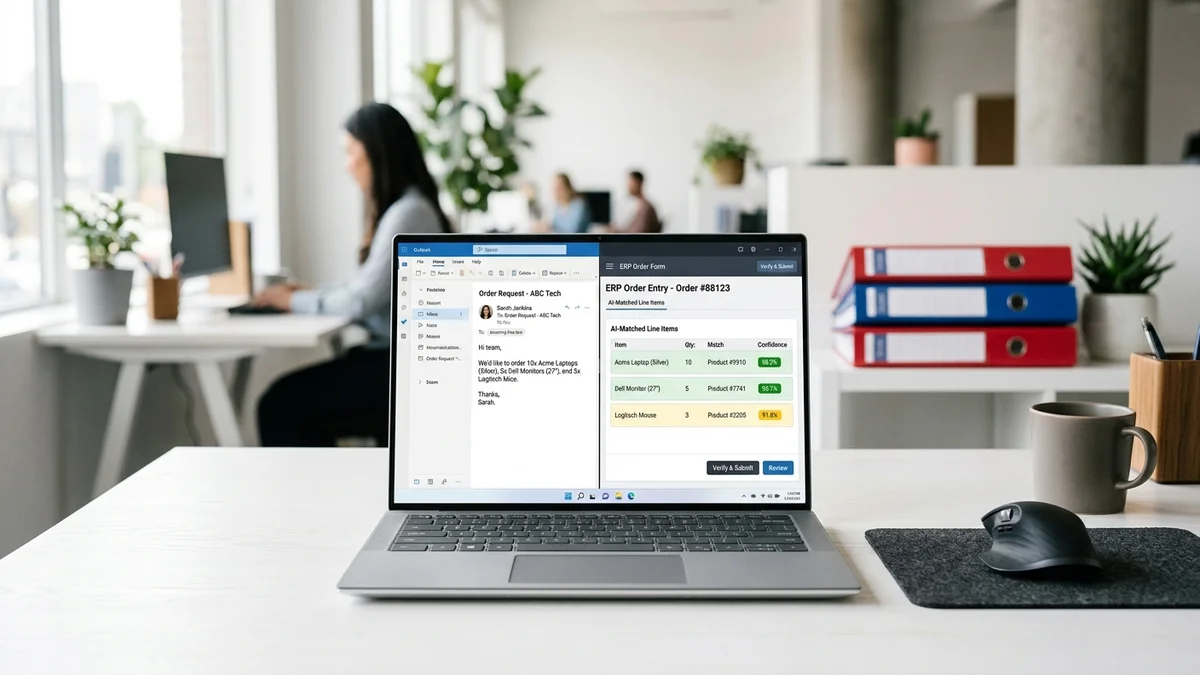
The system reads meaning, not structure. A customer who sends an order in a format the system has never processed before is handled by the same interpretation process as any other order. Nothing breaks. The AI reads the content, applies catalog matching, assigns a confidence score to each line item, and flags uncertain items for human review before any of it reaches your ERP. When a customer changes their ordering format, which happens constantly in real distribution operations, no one has to rebuild a template.
That's why sales order automation built on language understanding holds up over time while template-based tools degrade.
How Email Order Automation Works
The process from incoming email to ERP-ready order runs through five stages.
Stage 1: Inbox monitoring. OrderFlow monitors a dedicated email address continuously. Every incoming message is captured as it arrives, whether it contains a structured attachment, a free-text body, a scanned document, or a forwarded thread. No manual triaging, no queue management required on your end.
Stage 2: Format detection and extraction. Each message is analyzed to determine what type of content it contains. A PDF attachment goes through OCR for text extraction. A free-text email body goes directly to language interpretation. A forwarded thread is parsed for the relevant request within the chain rather than treating the whole thread as an order.
Stage 3: Language understanding and intent parsing. This is where email order automation diverges from document processing tools. The system doesn't just extract text. It interprets intent. "Same as last time but double the brass 40mm and hold the gaskets" requires understanding the account's prior order, identifying "brass 40mm" as a product reference, and treating "hold the gaskets" as a removal instruction. That's a reasoning task. The AI treats each order the way a senior CSR would: reading for meaning, not just for characters on a page.
Stage 4: Catalog matching. Interpreted line items are matched to your ERP product catalog using the account's order history, your catalog's semantic structure, and any known customer-specific naming conventions. Each match receives a confidence score reflecting how certain the system is about the SKU selection. Low confidence doesn't mean the order fails. It means that line item gets flagged.
Stage 5: Human review and ERP output. Line items above the confidence threshold go straight to ERP entry. Items below the threshold are surfaced for human review with the proposed match and the confidence score shown side by side. A reviewer confirms or corrects in seconds rather than re-processing from scratch. Confirmed orders enter your ERP automatically, with no manual re-keying.
At Meesenburg Romania, this process reached 50% full automation: half of all incoming orders went from email receipt to ERP entry with no human involvement at all. The other 50% went through AI pre-processing with human review of exceptions, not full re-entry. The team's time shifted from data entry to exception management.
The Meesenburg case study covers the deployment in full.
See How OrderFlow Handles Your Order Formats
Meesenburg Romania: What 98% Accuracy Looks Like in Practice
Meesenburg is a Romania-based distribution business handling order intake across a mix of formats: structured documents from larger accounts and free-text emails from a broad base of smaller customers. Before automation, each incoming email required a CSR to read the request, find the matching products in a catalog with thousands of items, enter the order in the ERP, and confirm with the customer.
It worked. But it consumed most of each rep's day, and it didn't scale without adding headcount.
After deploying email order automation through OrderFlow:
- 98% of orders required no modification after AI processing. Catalog matching was accurate enough that the team accepted the AI output without corrections on nearly every order.
- 50% of orders completed end to end with no human involvement, from email receipt to ERP entry.
- The remaining 50% went through exception review rather than full re-keying, cutting per-order time substantially across the whole team.
Banciu Nicolae, General Manager at Meesenburg, confirmed the operational shift. His order desk moved from high-volume data entry to reviewing flagged exceptions.
The true cost of manual order processing at comparable volume runs into hundreds of thousands of dollars per year for mid-size distributors. A 98% no-modification rate on production data doesn't just cut labour cost. It eliminates most of the downstream costs that come from incorrect orders: wrong SKUs shipped, quantities misread, returns, credit notes, and the relationship damage that follows.
That number, 98%, comes from real orders on a live deployment. Not a demo. Not a controlled test dataset. Meesenburg's actual inbox, with all the format variability, informal descriptions, and customer-specific naming quirks that come with it.
What Email Order Automation Isn't
Worth naming plainly, because it affects how you evaluate this.
Email order automation doesn't eliminate your order desk team. The 50% full automation rate at Meesenburg leaves 50% of orders going through human review. That's deliberate. The human-in-the-loop step is a design choice, not a limitation. Uncertain line items face human judgment before anything reaches your ERP, and that's part of why the no-modification rate is 98%. Your experienced CSRs still add value. Their time shifts from data entry to the edge cases that actually benefit from their judgment.
It's not a six-month implementation project either. OrderFlow deploys in weeks, not months. No template configuration per customer means no configuration backlog. Connection to your ERP runs via API. A pilot phase uses your actual order data to confirm accuracy on your specific catalog before you commit to a full rollout.
And it doesn't replace EDI with your largest accounts. That integration runs fine on its own. Email order automation is the layer that handles everyone who isn't on EDI and won't be. At most distributors, that's the majority of customers by count, and the majority of order desk hours by volume.
For European distributors: OrderFlow processes and stores order data within the EU, meeting GDPR data residency requirements throughout. Customer order information stays within European jurisdiction.
Frequently Asked Questions
What is email order automation?
Email order automation is software that reads incoming order emails, interprets the customer's intent, matches requested products to your ERP catalog, and produces structured order data without manual data entry. For distribution businesses, it handles the unstructured majority of order intake: free-text emails, PDF attachments, scanned documents, and informal requests that traditional EDI or OCR tools cannot process reliably.
Can email order automation handle customers who never use product codes?
Yes. The system doesn't rely on product codes from the customer. It uses language understanding to interpret informal product descriptions and match them to your internal SKU catalog based on semantics, account history, and product relationships. A customer who always refers to a product by a nickname or informal description is handled the same way as a customer who sends precise codes. The AI builds a semantic understanding of your catalog over time, including customer-specific naming conventions it learns from order history.
What happens when the AI isn't confident about a product match?
Each line item receives a confidence score. Items below the threshold are flagged for human review, presented alongside the proposed catalog match so the reviewer can confirm or correct in one step. Nothing enters your ERP without passing either the automated confidence check or human confirmation. The Meesenburg Romania deployment reached 98% no-modification accuracy using this process, meaning reviewers were changing less than 2% of AI-generated line items on real production orders.
Does email order automation work with our ERP?
OrderFlow integrates with SAP, Microsoft Dynamics 365, Sage, and other major distribution ERPs via API. Custom ERP configurations require a brief PoC phase to confirm connector compatibility. Your IT team's involvement is primarily limited to the initial integration. After that, the system runs with minimal IT overhead and no per-customer template maintenance to manage going forward.
How long does it take to get email order automation running?
Typical deployment runs two to six weeks from kickoff to live processing. No customer-specific template configuration is required, which removes the main source of delay in legacy automation projects. The onboarding process includes a pilot phase using your actual order data so accuracy on your specific catalog is confirmed before going live. If that pilot doesn't produce the accuracy you need on your real orders, the conversation ends there.
The fastest way to evaluate email order automation for your operation is to test it on your actual orders, not a demo dataset. Send us a week of your most difficult inboxes: the free-text requests, the ambiguous PDFs, the "same as last time" emails. We'll process them through OrderFlow and show you the output with matched line items, confidence scores, and the flagged exceptions. No setup required on your end.
If the output is what you'd want to hand to your ERP, we talk further. If it isn't, you've spent 20 minutes.